 Treevah: Cloud file navigation shaped by testing, and the design operation that carried it to release.
Core navigation + design system. Alpha shipped Apr 2025.
Treevah wanted the power of filters with the familiarity of folders. I worked through that tension in its cloud file manager, from a carousel that proved hard to learn to the tabbed navigation that shipped. I also led the design-system team and established the handoff that carried those decisions into engineering.
Overview
I connected the navigation decisions to the screens engineering built.
Treevah's cloud file manager lets people compare files across a hierarchy without opening one folder at a time. That flexibility made ordinary actions harder to define: which level am I looking at, what does this selection include, and what disappears when the window gets smaller?
I joined as a Product Designer and worked through those questions with product and engineering, from the layout I inherited to the tabbed navigation the alpha shipped with. I went on to lead the four-person Design System Team within a design org of about ten, establishing how approved flows became the high-fidelity screens engineers built. The Cloud Alpha shipped in April 2025.
- 15+Weekly rounds of user testing, on a pipeline I co-led
- 80+Design-system components built and adopted by engineering
- 4Person Design System team led, serving the wider product org
- ~1 wkCut from each feature cycle, from research to developer handoff
Context
Comparing folders side by side made familiar actions less predictable.
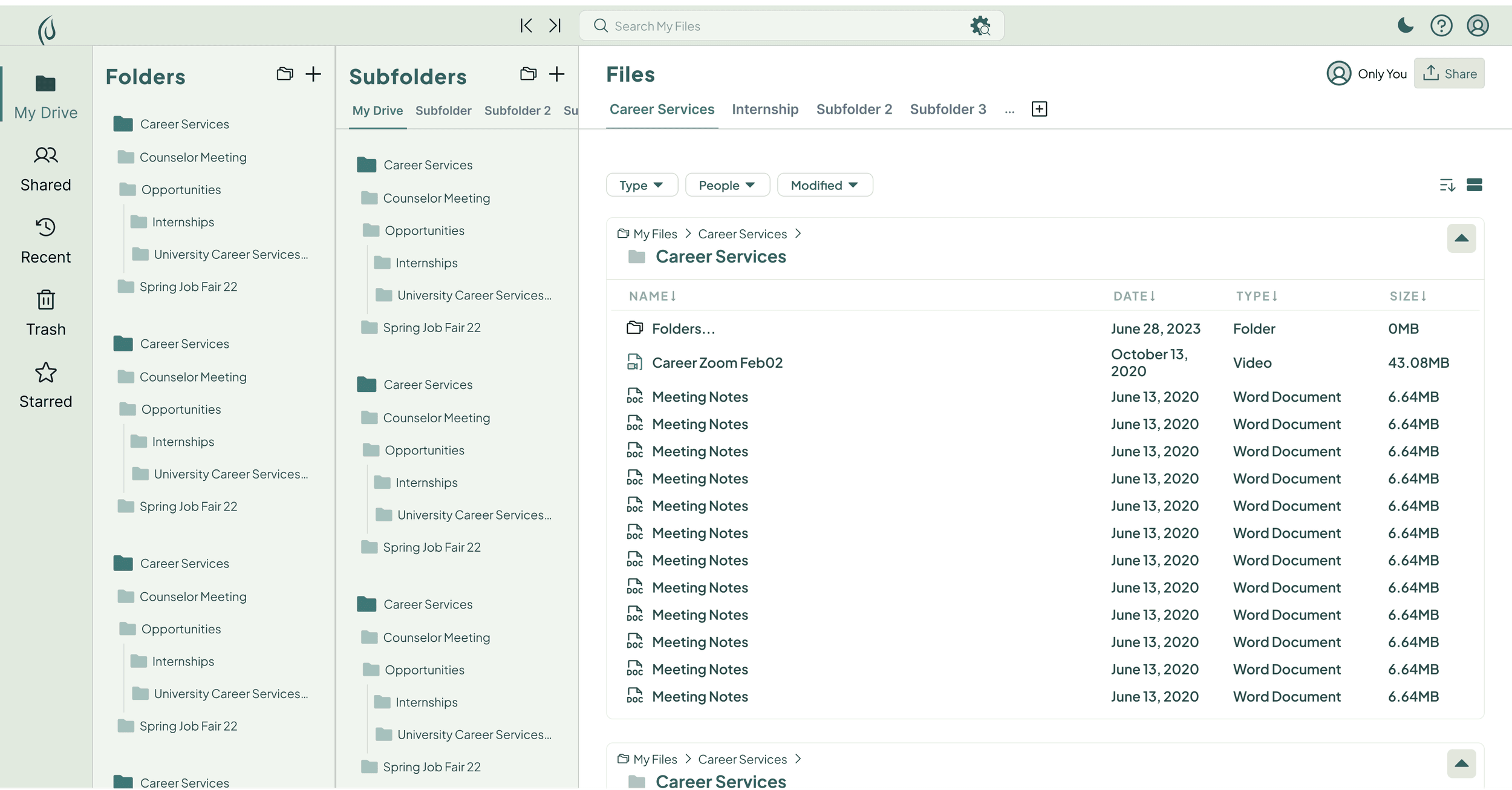
In Treevah, several folder levels stay open in parallel panes. Power users can compare their contents without retracing a path through the hierarchy. For people arriving from Google Drive and Windows, however, the interface still has to make sense as a file manager. A faster route is little help if users cannot tell what they have selected.
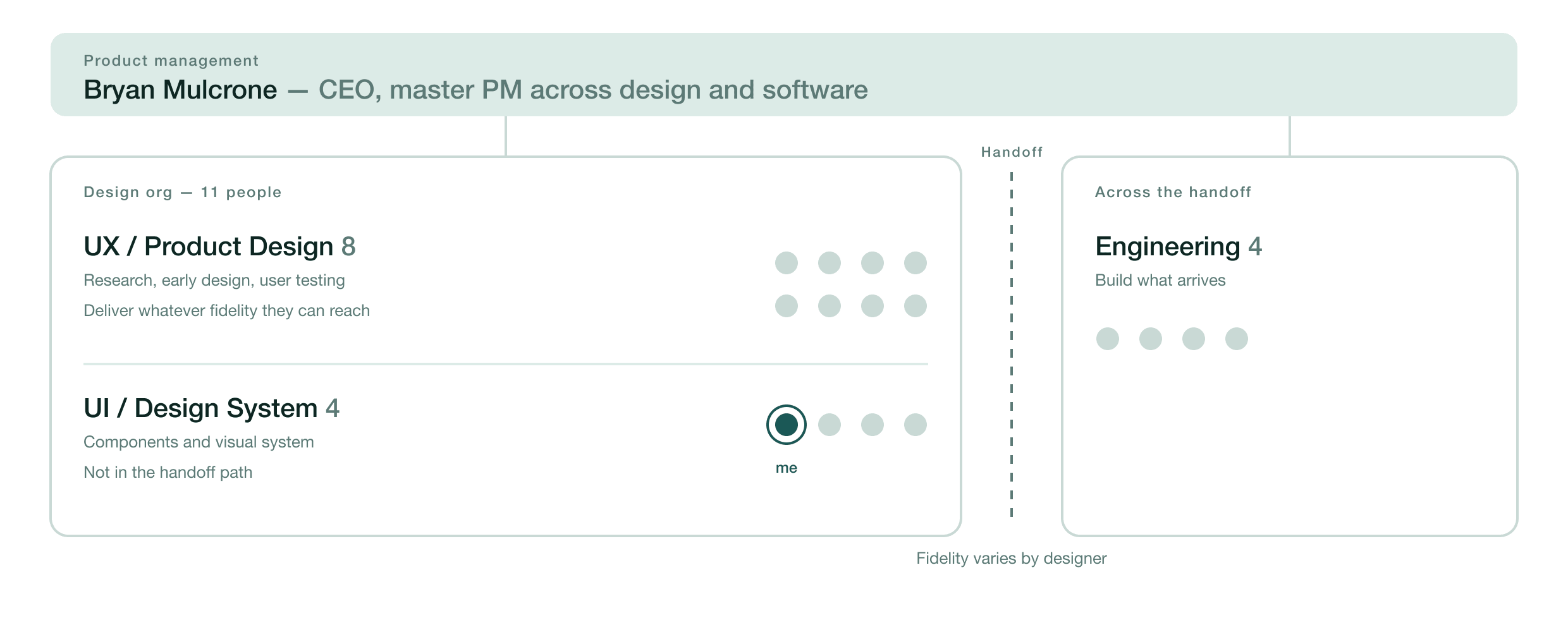
The team had a parallel coordination problem. Five or six product designers owned research and early design, handing engineering flows at whatever fidelity they had reached. The four-person UI team maintained components but sat outside that handoff. Bryan Mulcrone, the CEO, coordinated product management across design and software.
Layout
Three panes already existed. I gave them a clearer visual hierarchy.
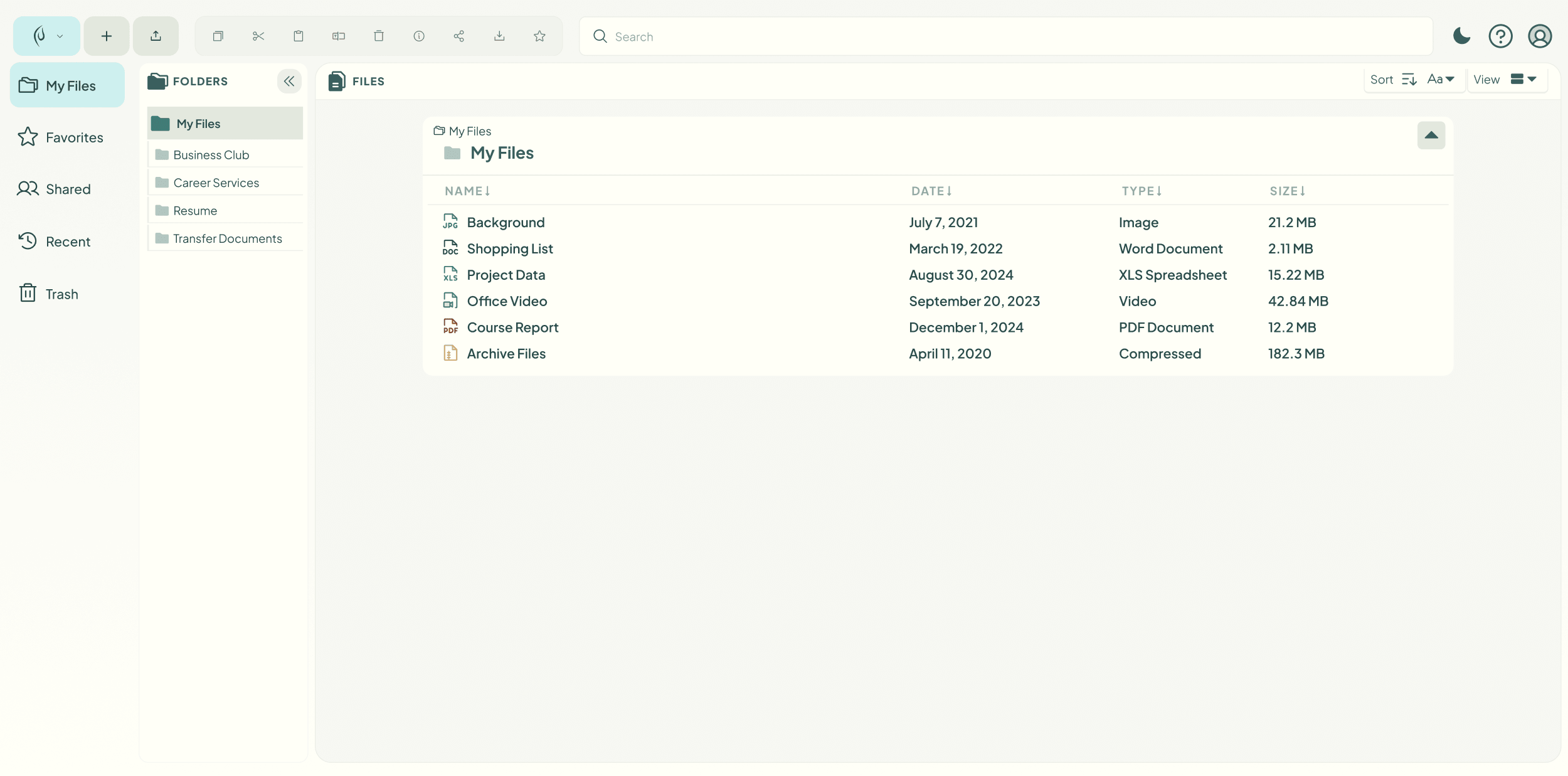
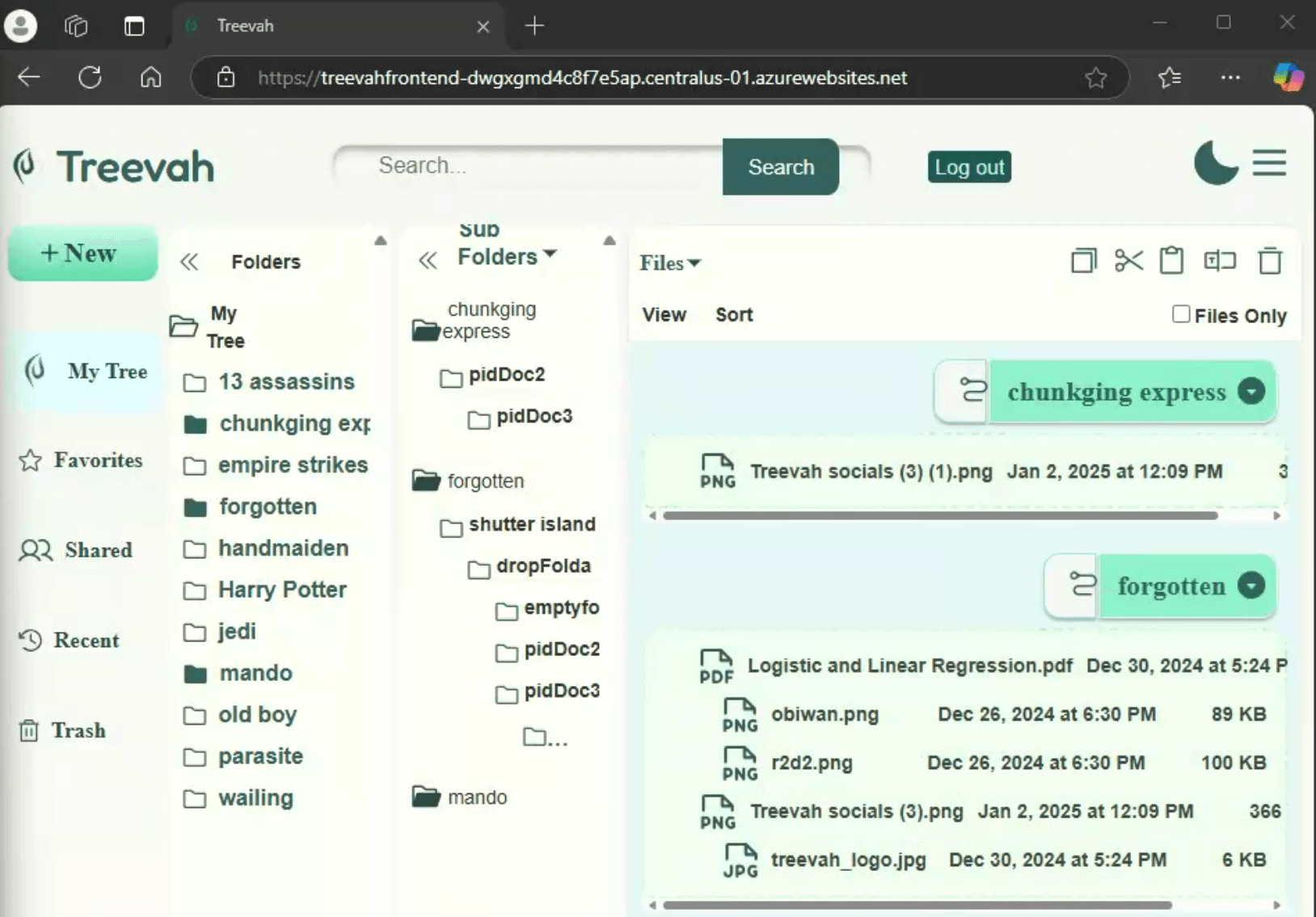
I didn't introduce the three-pane layout. The design from before I joined had Folders beside Files; engineering's January 2 build already added Subfolders between them. Its indented tree still ran out of room a few levels down, ending in an ellipsis.
Left: The earlier two-pane design, from before I joined: Folders and Files, with no subfolder layer.
Right: Engineering's build on January 2, 2025: Folders, Sub Folders and Files, with the subfolder tree trailing off at depth.
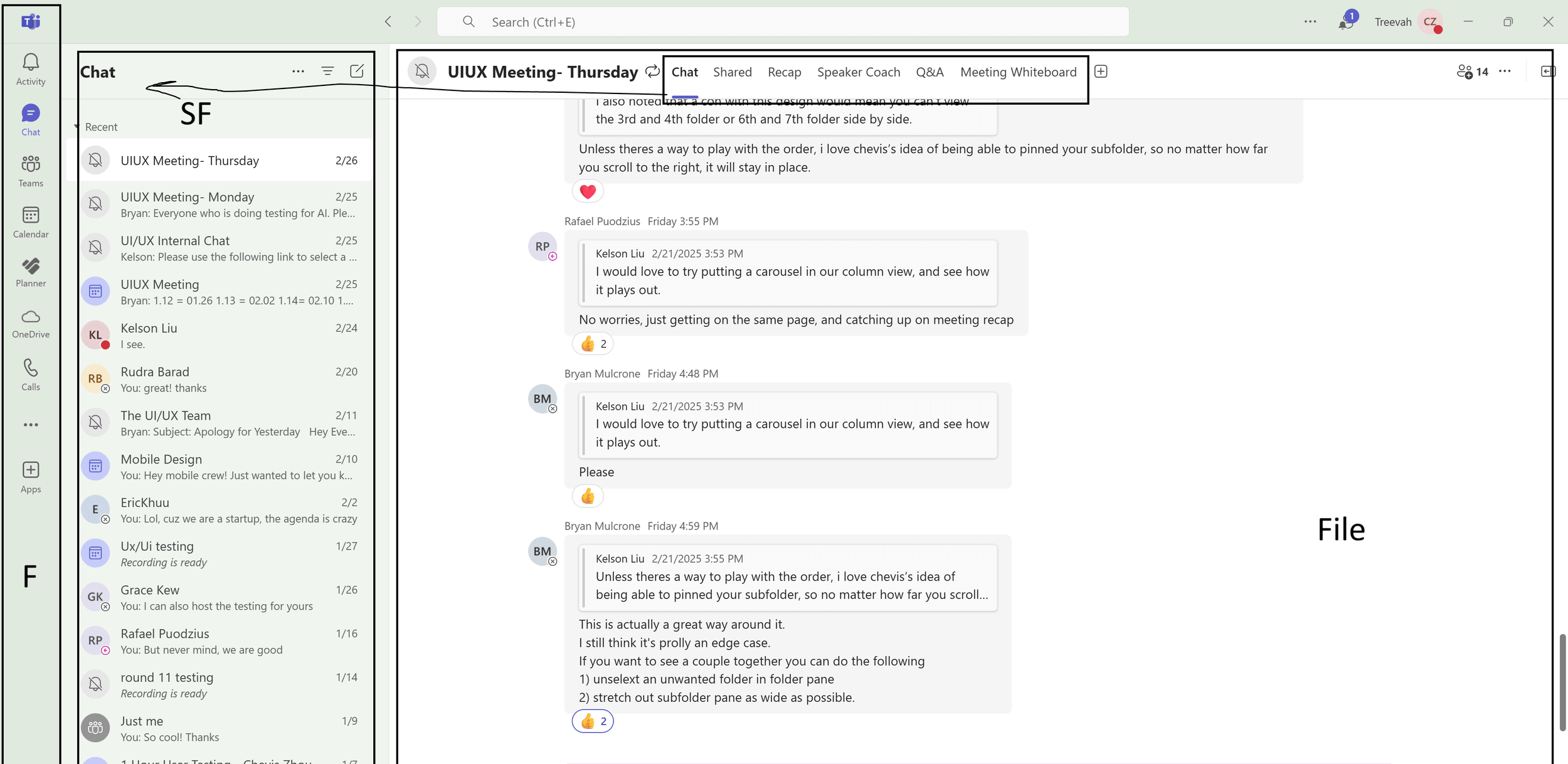
I compared hierarchy patterns in Finder, Dropbox and Google Drive, then brought Microsoft Teams into a February review. Its sectioned window offered a clearer frame for Treevah than the card-heavy, dual-sidebar direction we were considering.
Sections could hold changing content without making every pane compete as a separate card. They also relied less on subtle color and elevation differences, an implementation risk I had found in the card approach. I argued for that structure, then led the visual design and validation of its UI spec.
Navigating Depth
The carousel saved space. Named tabs made that space easier to navigate.
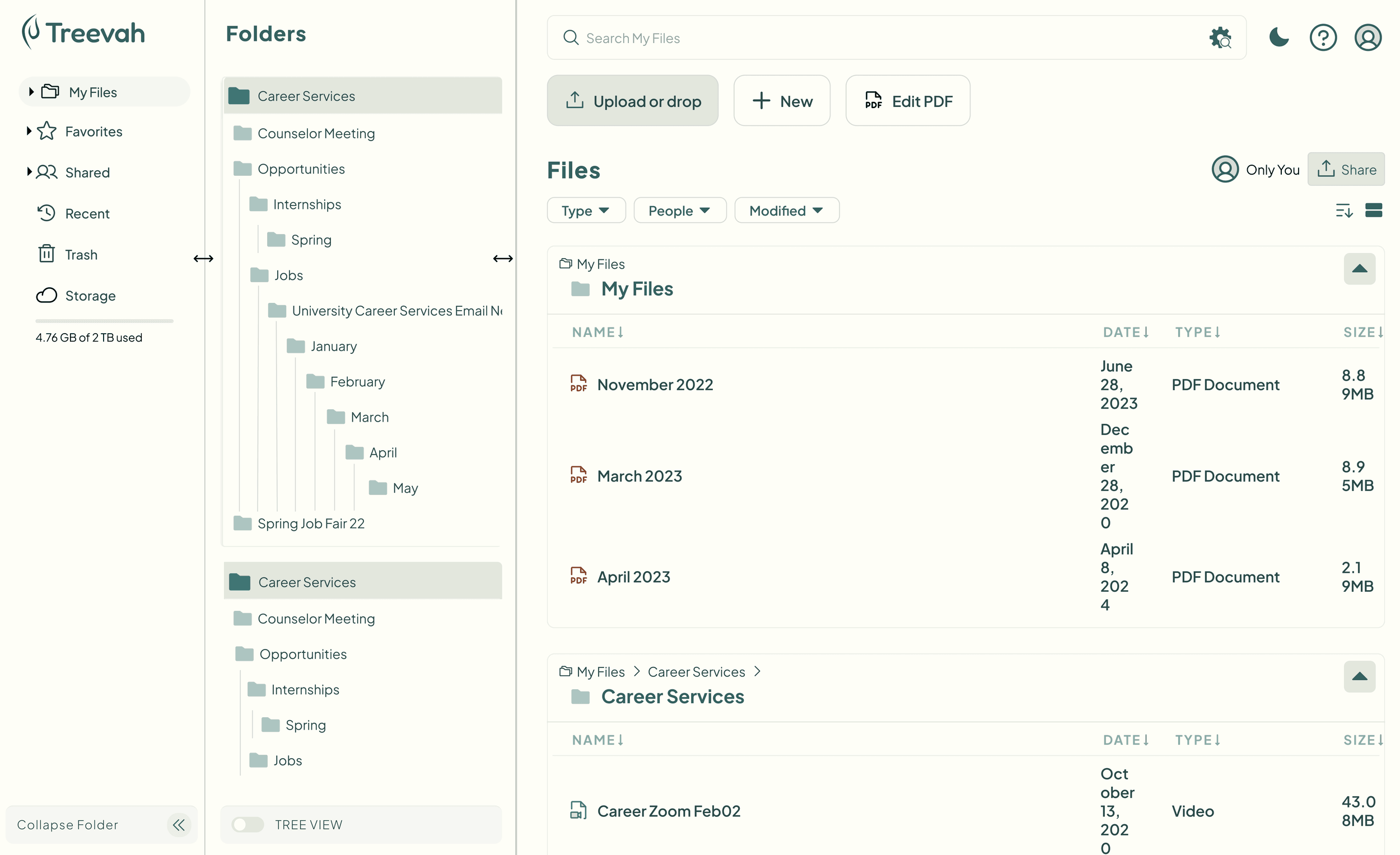
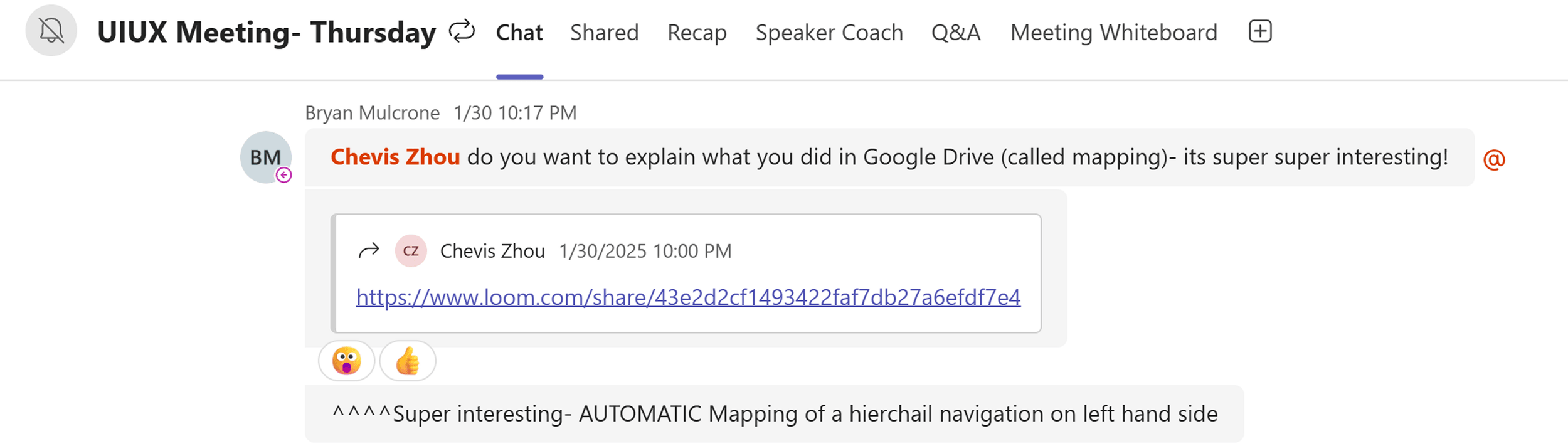
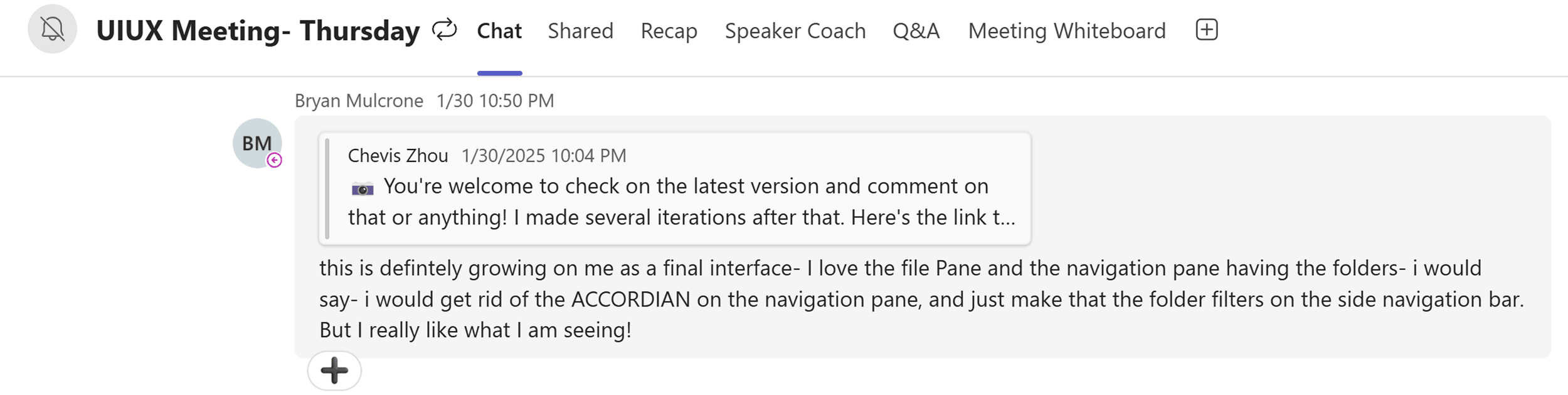
My first attempt at depth was an unassigned exploration: map the whole hierarchy into the left sidebar. I posted a Loom on January 30, and Bryan brought it into the team channel and asked me to present it that night. The idea drew interest, but the tree overflowed and repeated entries in its pinned section. I marked the Figma page "[plan forfeited]" and turned to the Subfolders pane.
More on Navigating DepthSee the January 30 exploration and thread3 images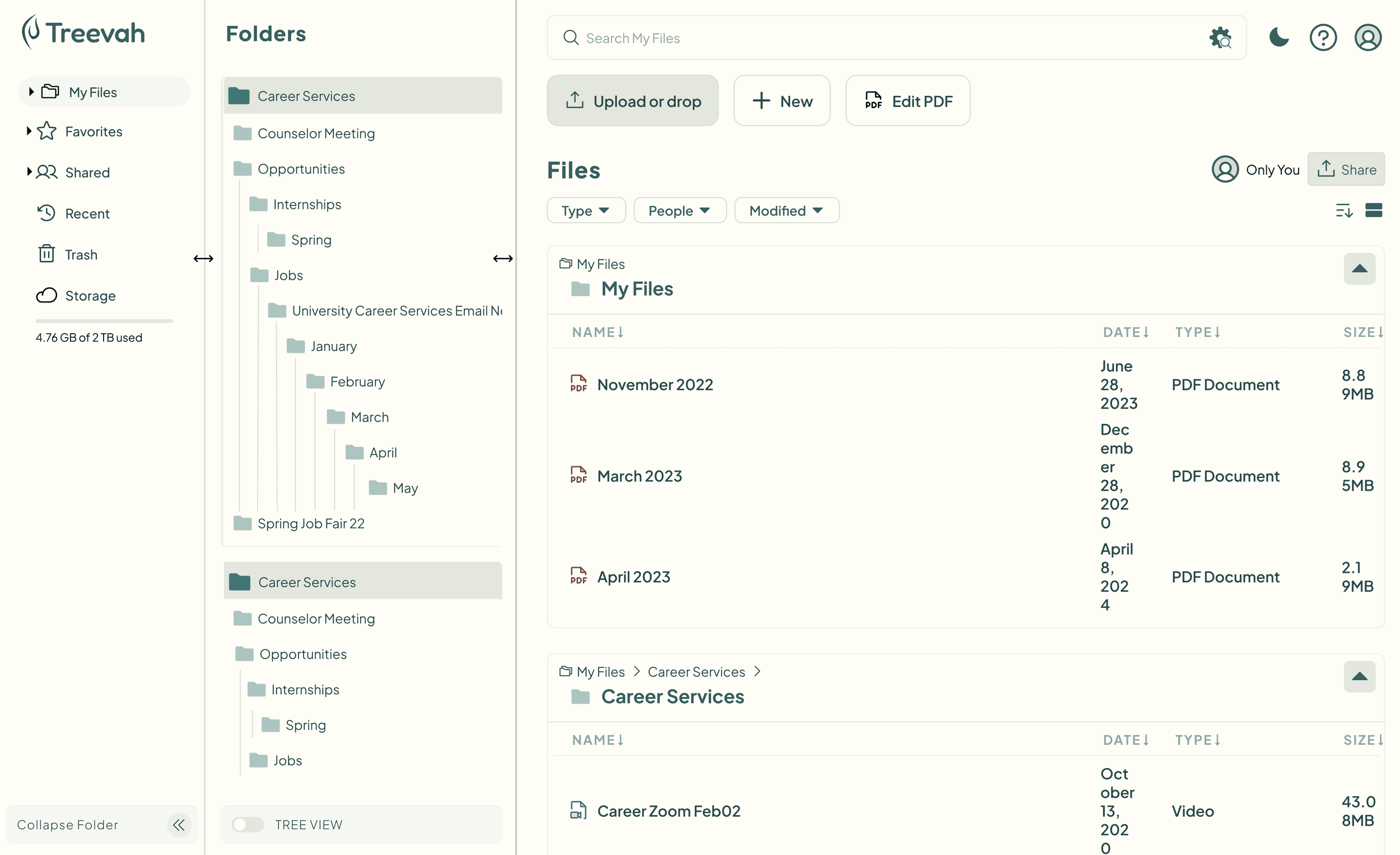
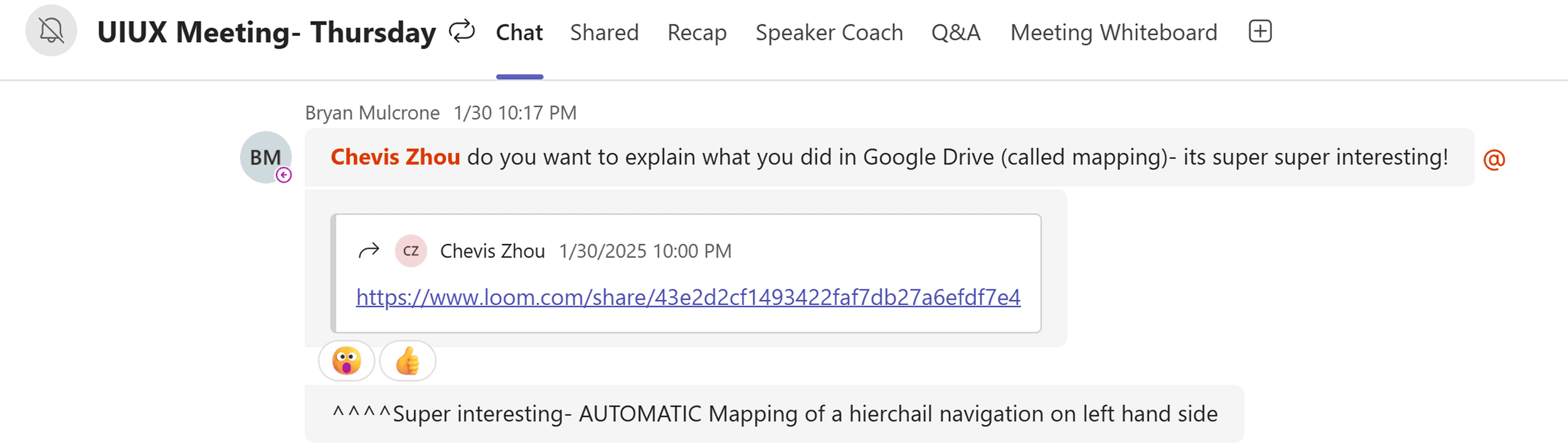
Top: 10:17 PM. Bryan pulls my Loom into the team channel: “do you want to explain what you did in Google Drive (called mapping)- its super super interesting!”
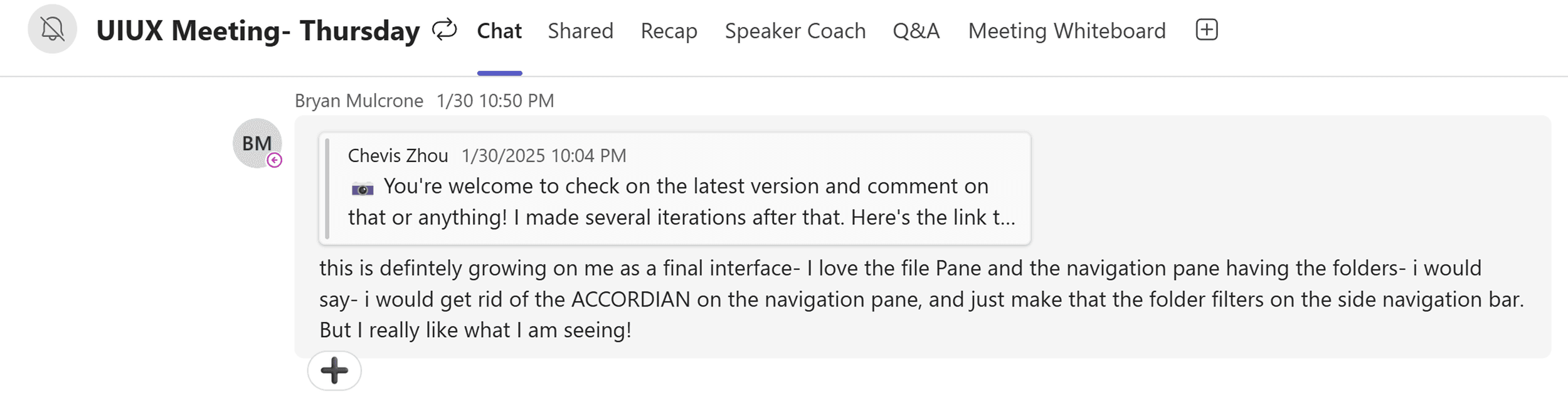
Bottom: 10:50 PM, after further iterations: “this is defintely growing on me as a final interface,” with a note to drop the accordion from the navigation pane.
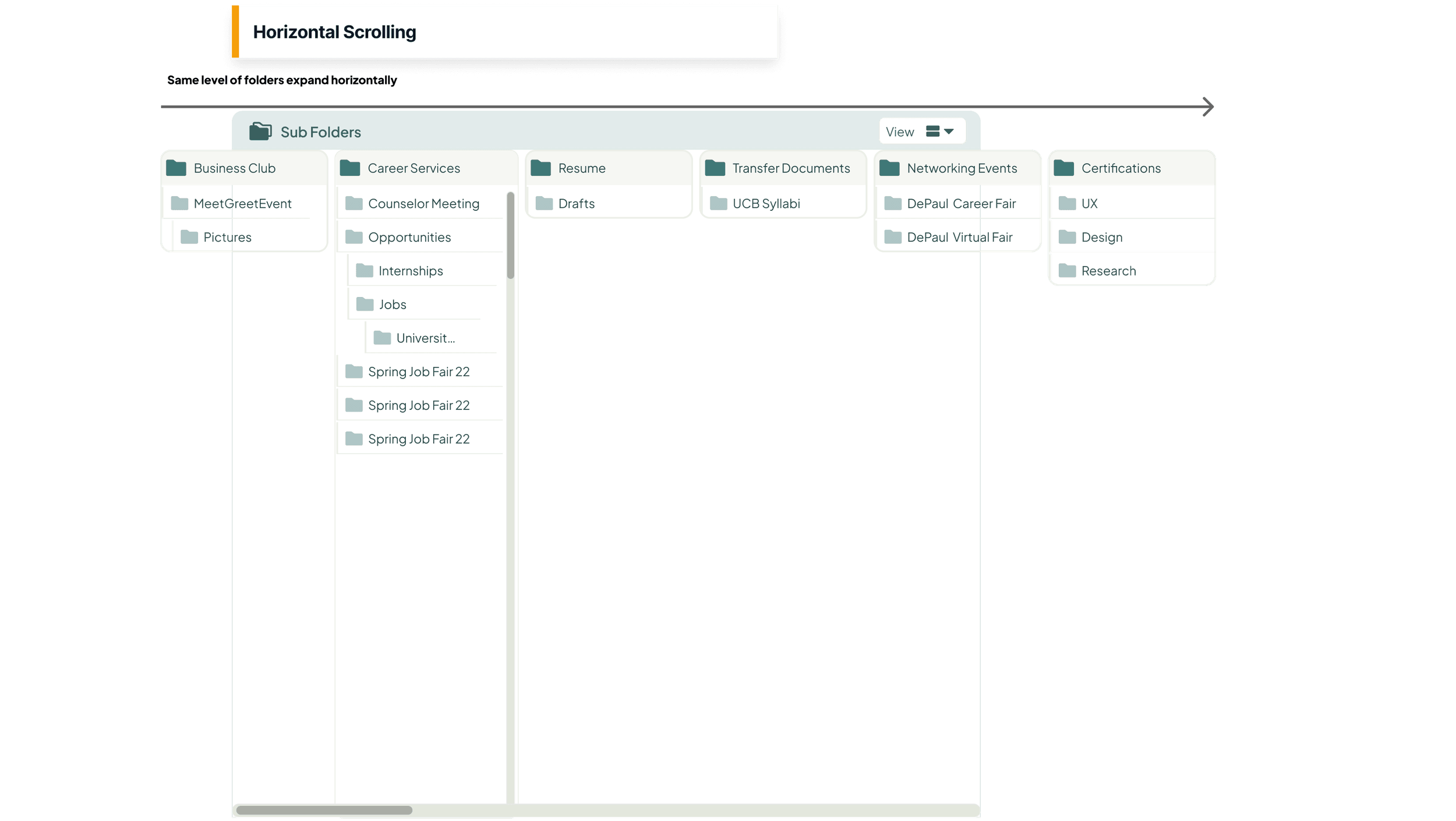
The next approach borrowed free horizontal scrolling from macOS column view. In Finder, columns can use the whole window; inside Treevah's narrow Subfolders pane, they competed for a fraction of it. Names truncated, collapsing a panel moved the focal point, and the scroll could stop halfway through a column. Pinning also fought the reset behavior.
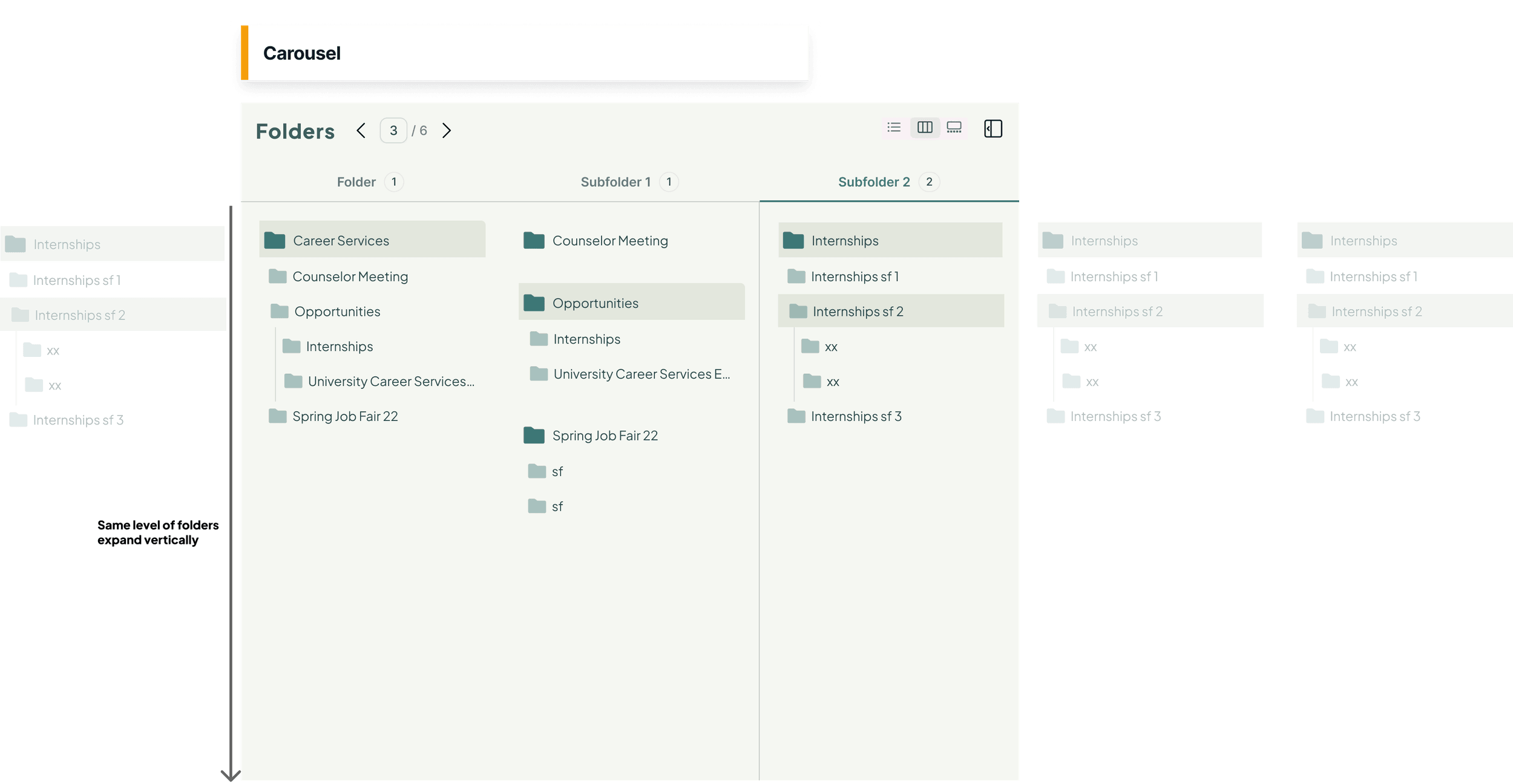
I proposed a carousel: three levels per page, a pager for moving deeper, and subfolders expanding vertically. It snapped to whole levels, giving the pane a stable frame.
Bryan questioned what the carousel would cost. Treevah sold side-by-side comparison, yet paging separated levels. It also introduced an unfamiliar interaction for users arriving from Google Drive and Windows, about seventy percent by his estimate.
I added breadcrumbs, pinnable panels and a level slider. Kelson Liu pointed out the remaining seam: the third and fourth levels could land on different pages. Pinning let users compare across that seam, but added another behavior to learn.
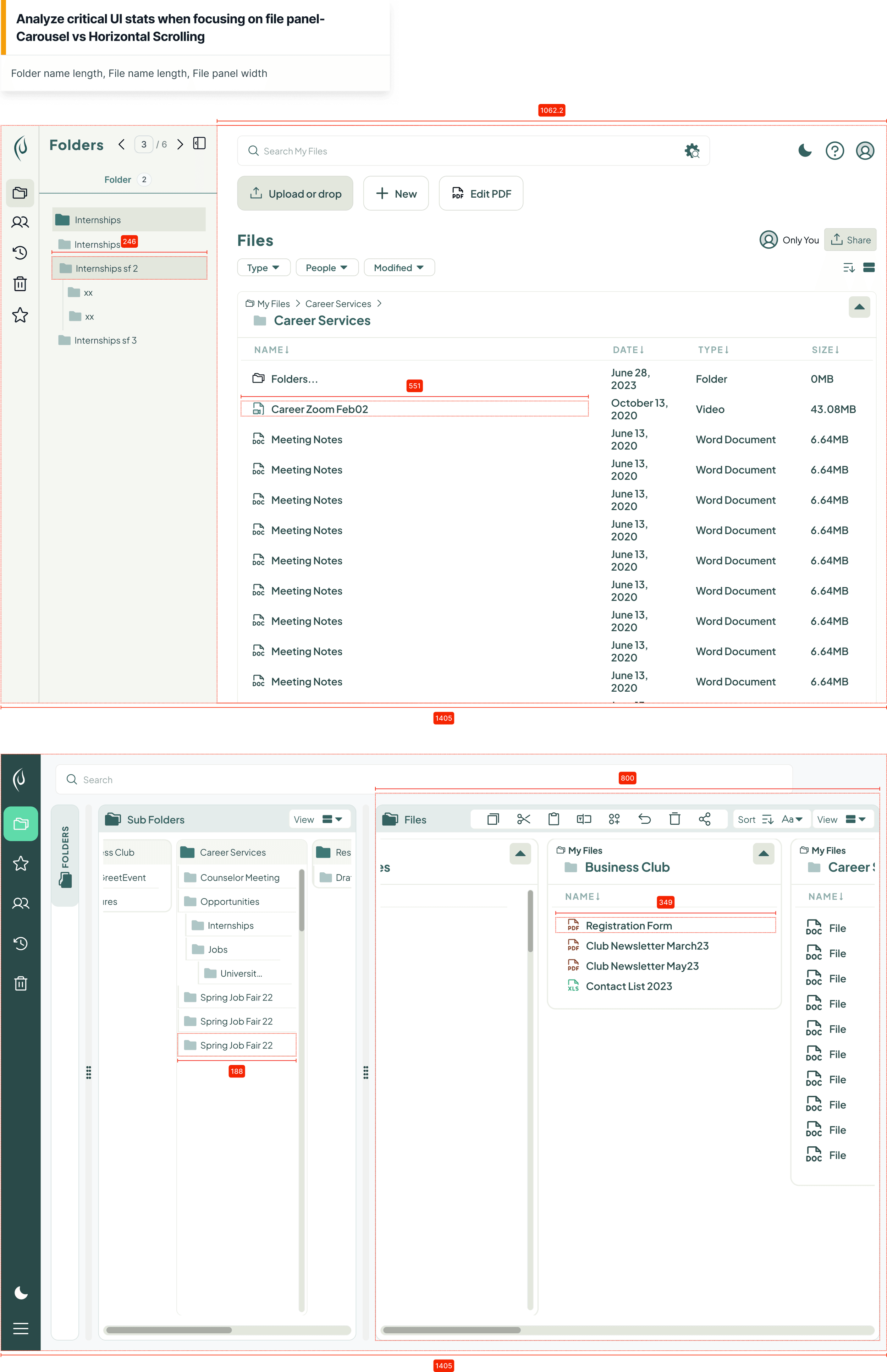
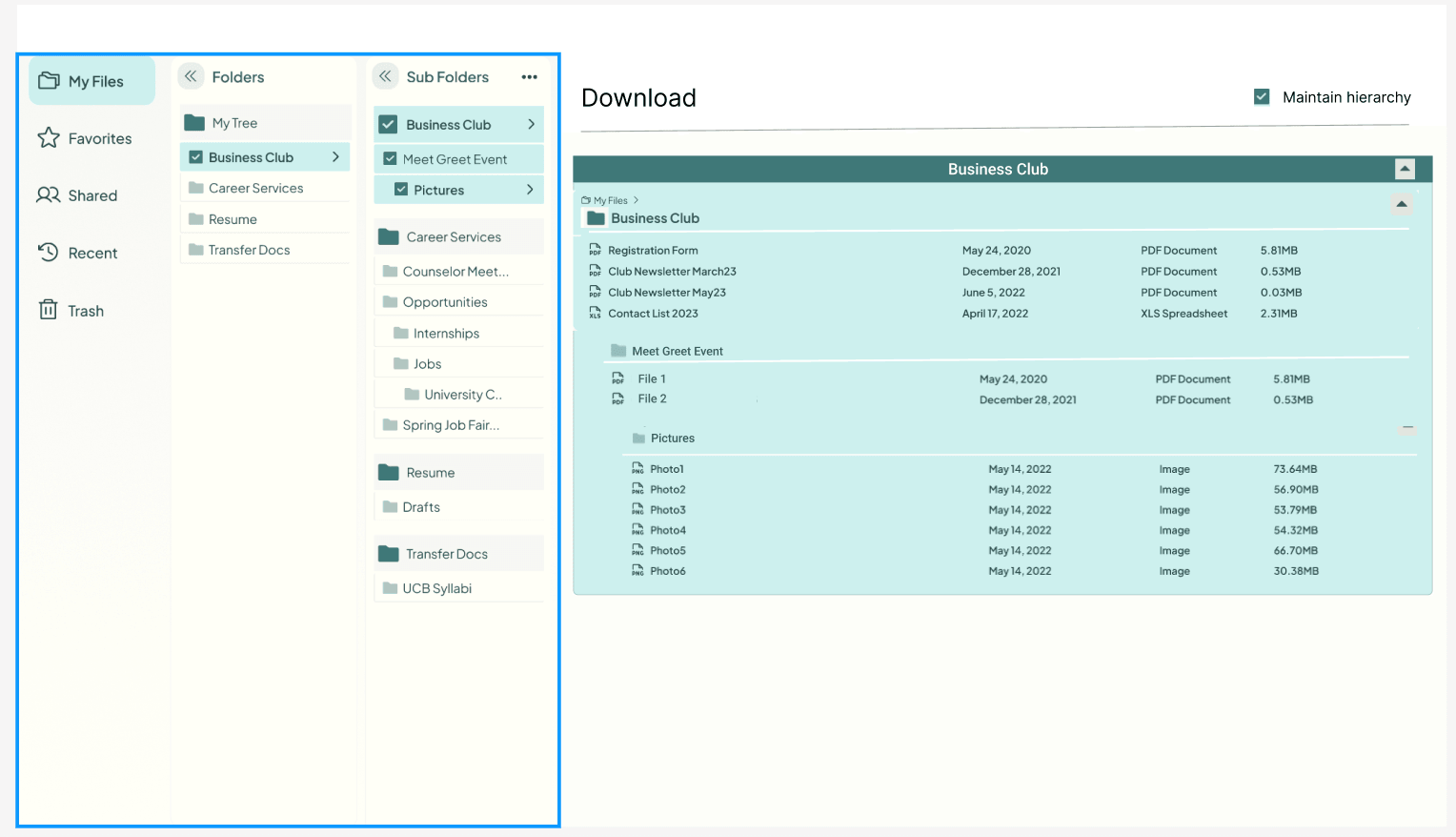
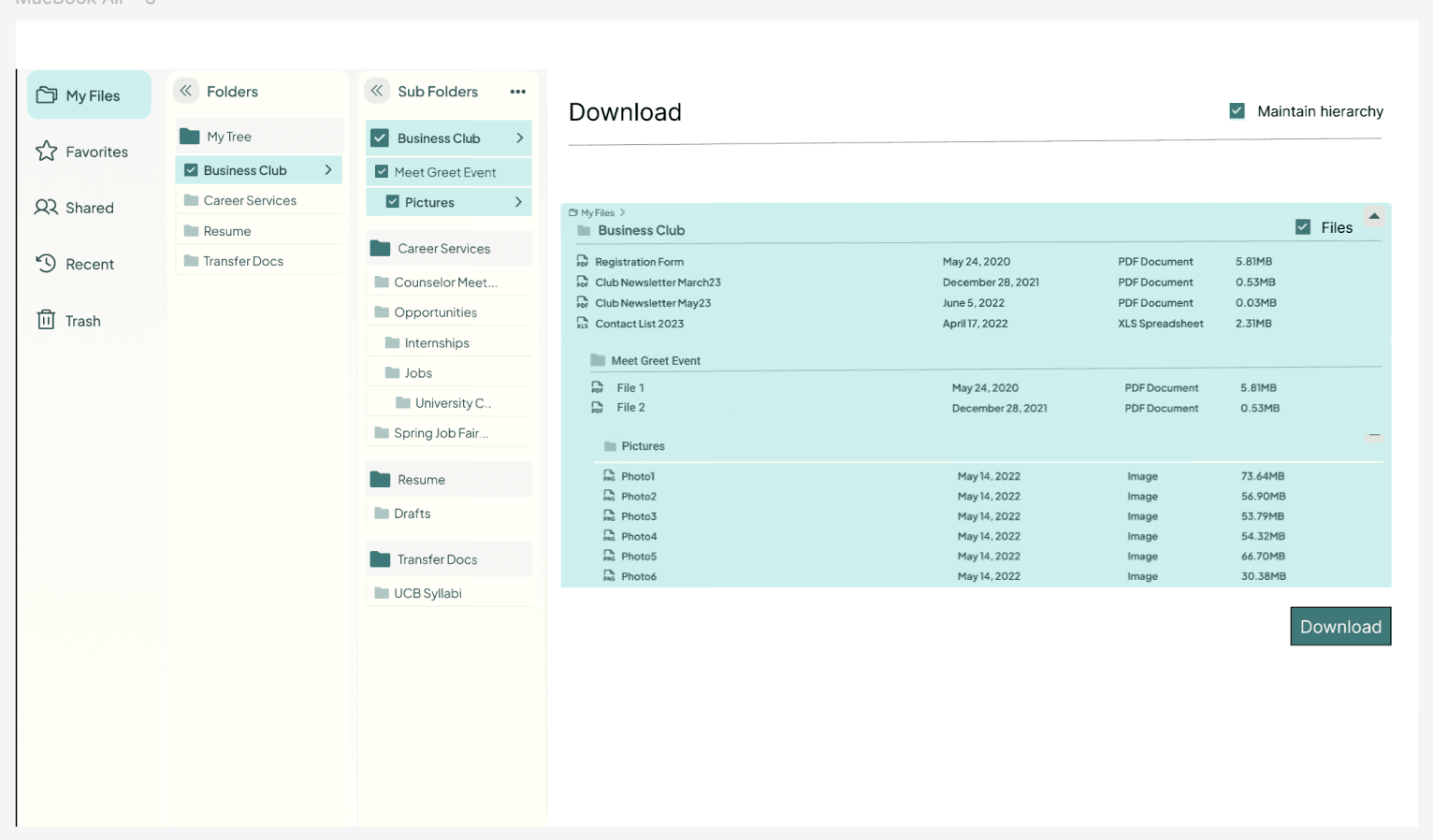
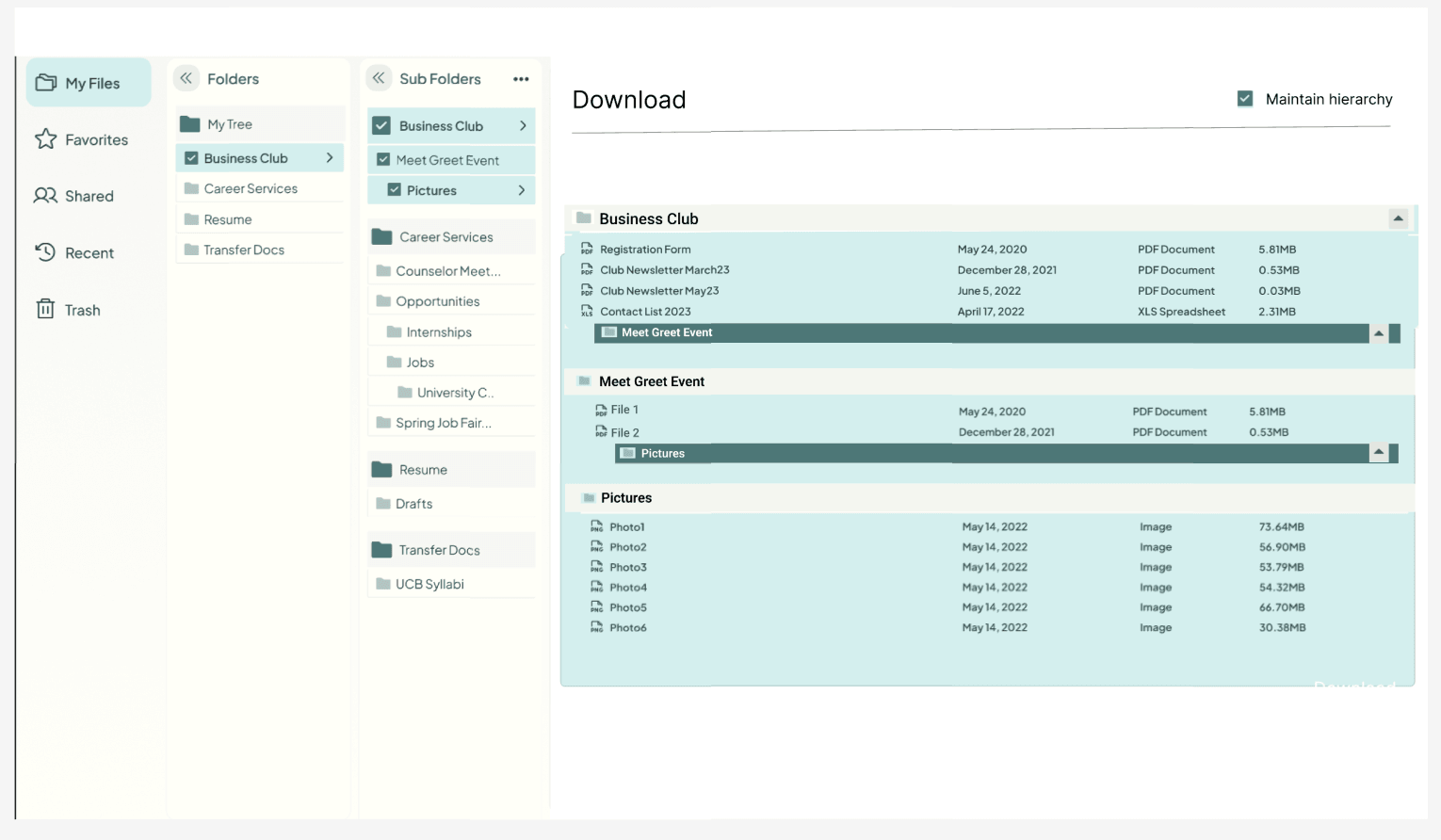
The carousel's strongest advantage was room for file names. In the same 1405px frame, it left the Files pane 1062px wide against horizontal scrolling's 800px. The file-name column grew from 349px to 551px. It bought that room by narrowing the folder pane, where navigation could still work with less width.
More on Navigating DepthSee how the width was measured1 image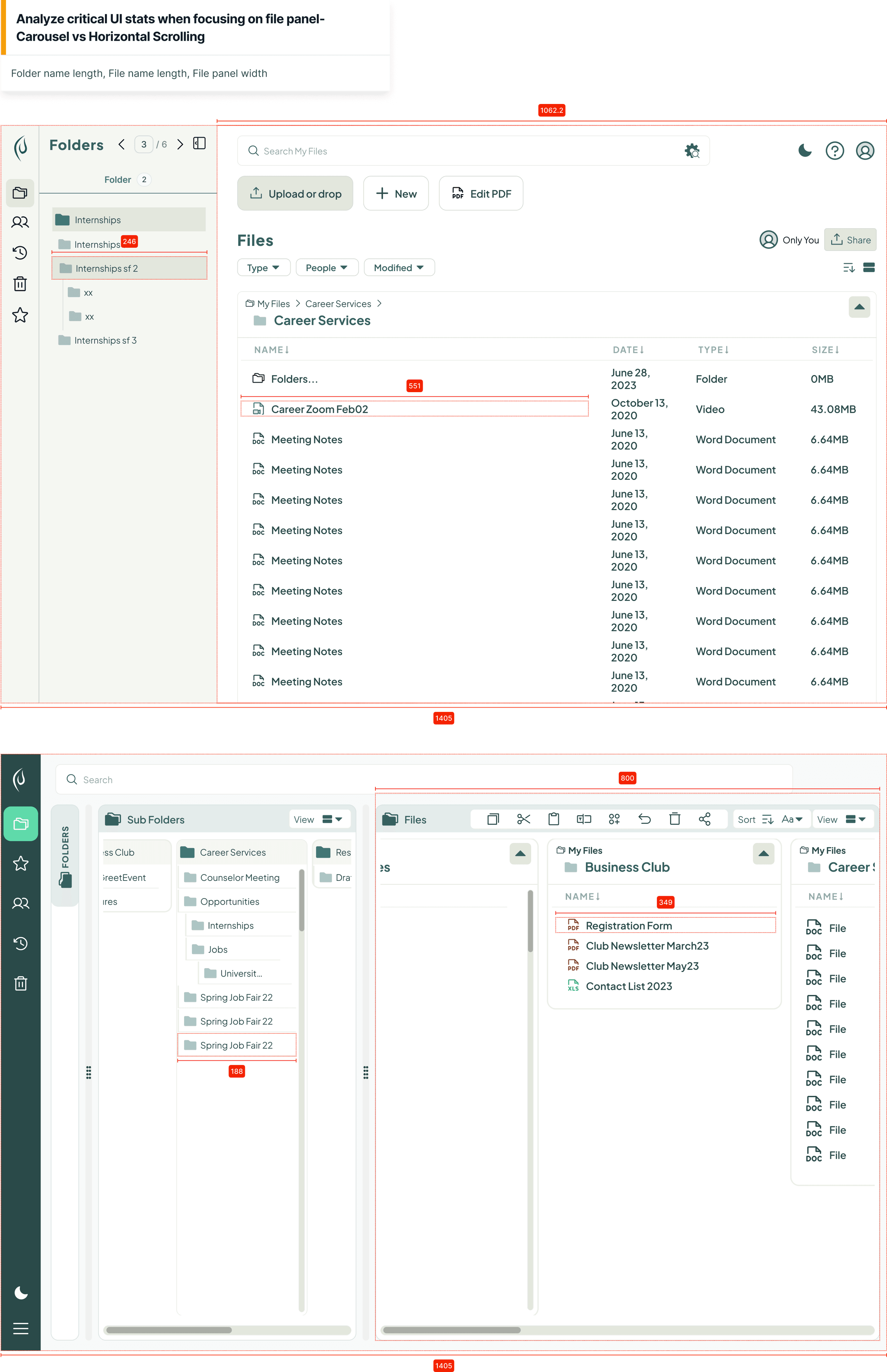
Testimonial“This actually makes a lot of sense — it eliminates the nested problem… It's like Mac in a way, but it's not: we're able to do multi-select, which makes it more manageable. Super interesting concept.”
Bryan MulcroneFounder & CEO, Treevah — reviewing the carousel proposal
The tabbed three-pane
Testing exposed the cost of that extra control: many participants struggled to understand the carousel. Its width advantage was real, but insufficient.
The Teams reference offered a way forward. In my markup, I moved its tab row from the content area into the Subfolders pane. Numbered pages became named tabs, so users could reach a level directly while keeping the Files pane wide. Jamelia, a product designer on the team, had proposed subfolder tabs in January; the Teams frame gave that idea a place to live.
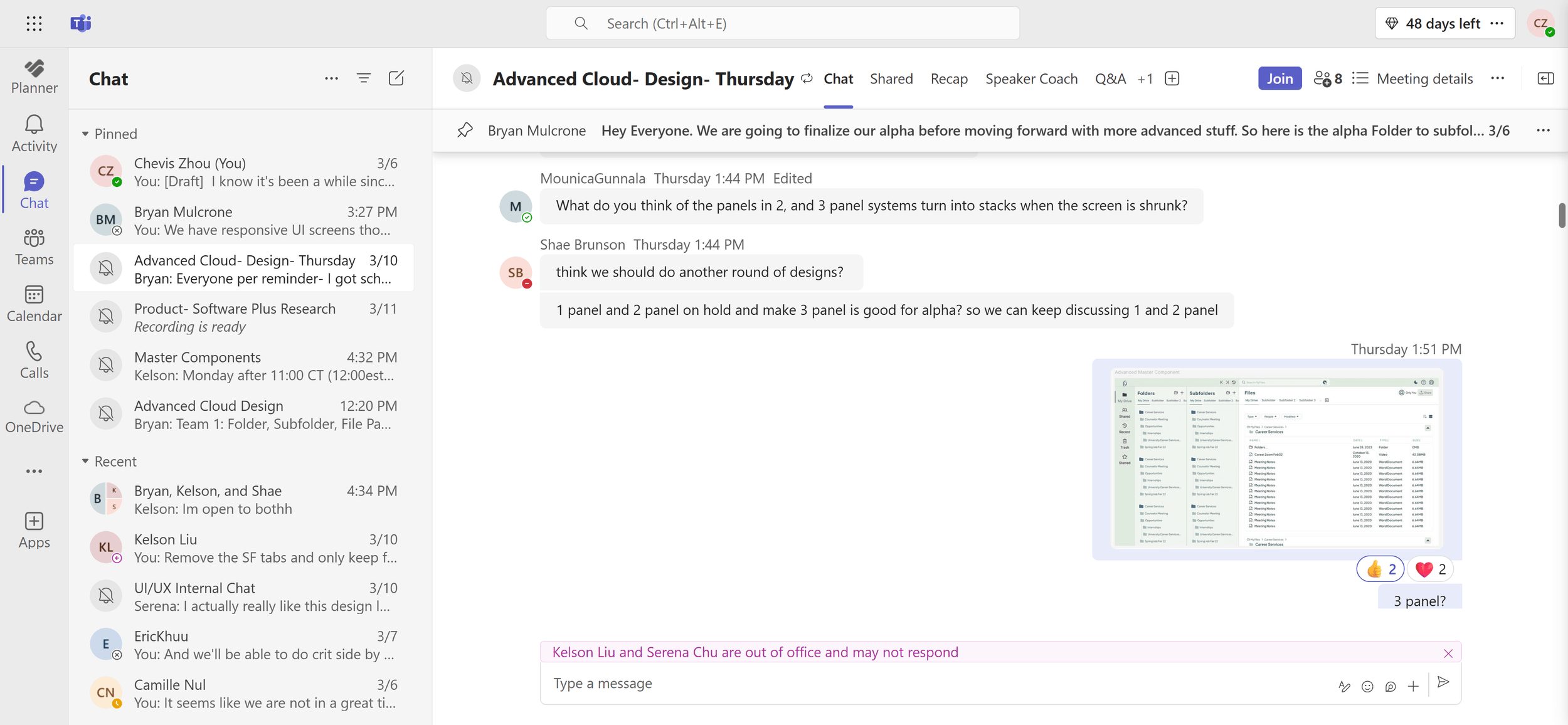
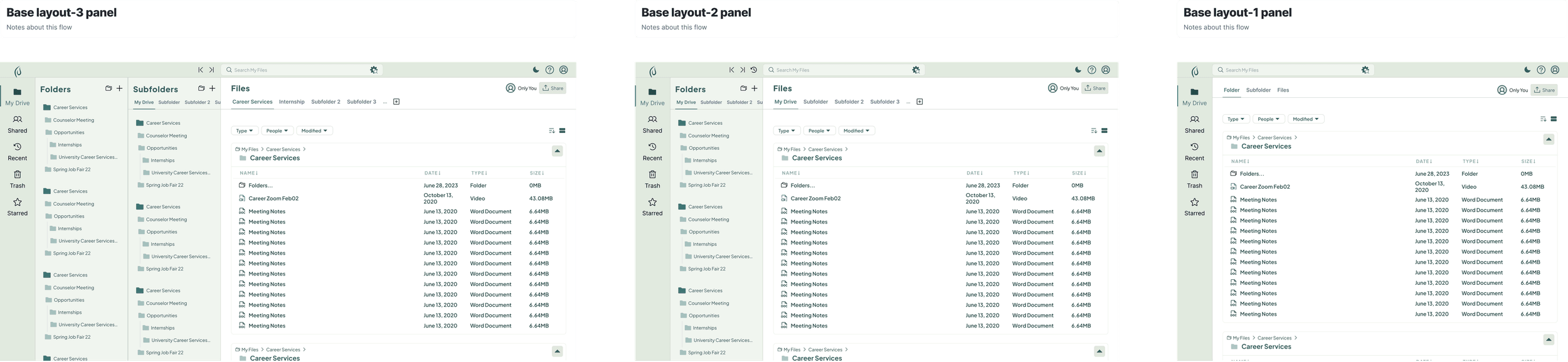
On March 6, Bryan pinned the alpha freeze. Shae Brunson proposed holding the one- and two-panel systems and moving ahead with three panels. Seven minutes later, I posted the master layout with the question "3 panel?" That tabbed layout became the alpha.
Selection Semantics
Folders behave like containers; subfolders behave like filters.
A folder-shaped interface creates an expectation: selecting a parent selects everything beneath it. Applied at every level in Treevah, that rule produced slow cascades into content users couldn't see and ambiguous partially selected states.
We kept recursive selection where it helped with bulk work, and changed it where users needed to refine:
- Folders are containers. Selecting one includes everything beneath it, as in a traditional file manager.
- Subfolders are filters. Selection includes immediate contents without cascading deeper. The right-click menu offers the recursive action when needed.
- Files are granular. Selection touches the individual file, with Select All updating around it.
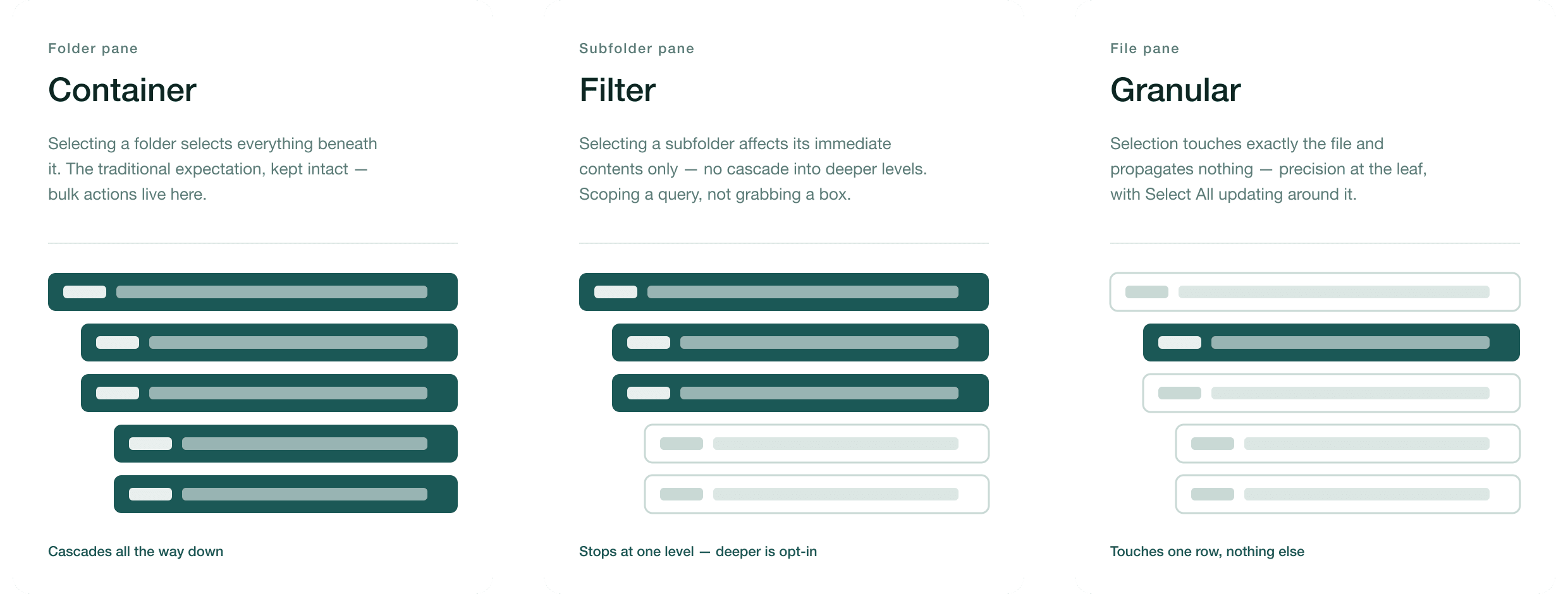
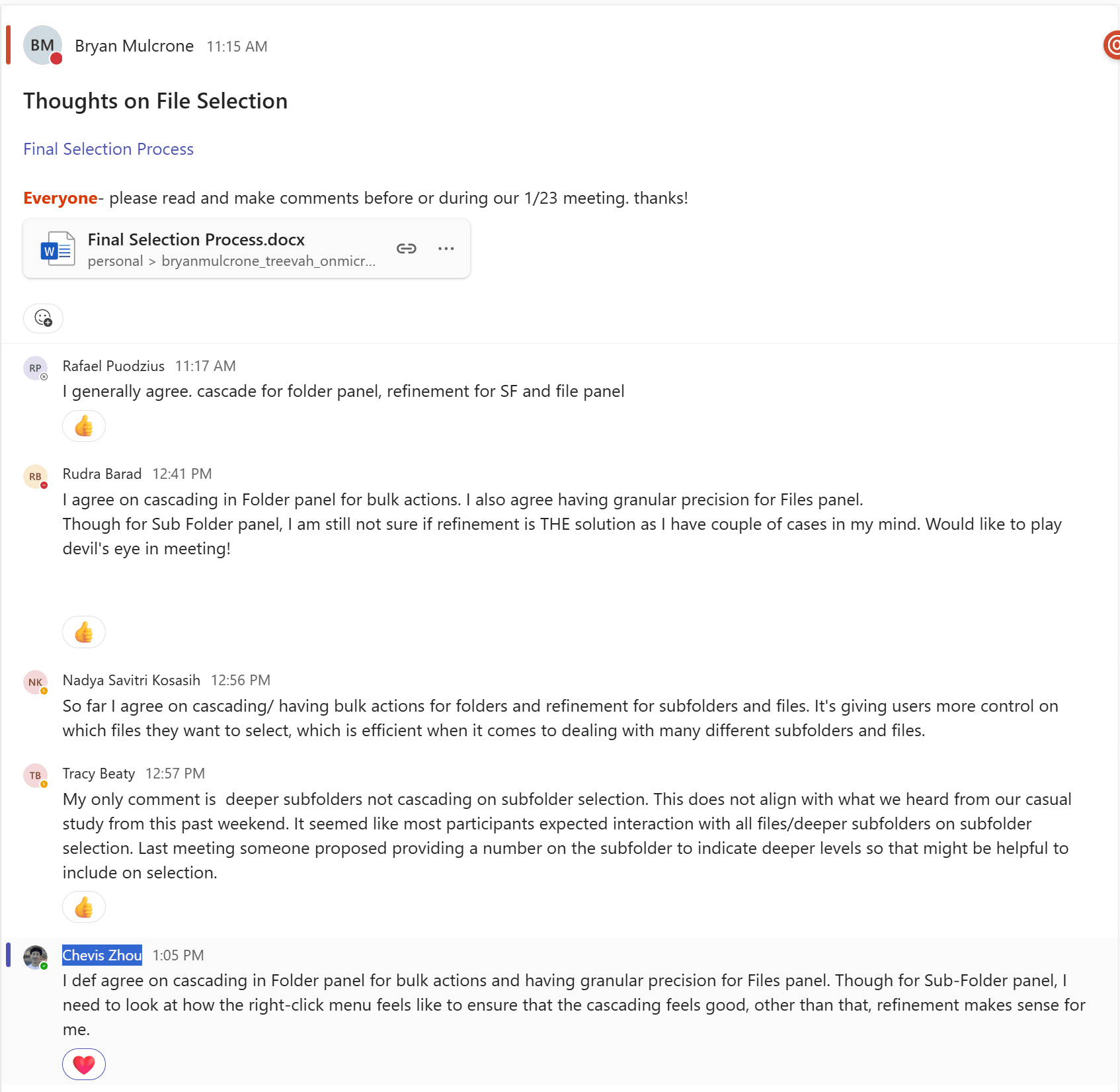
This gave each pane a predictable scope and binary selection feedback. A power user could reach into one subfolder without selecting its siblings or descendants; bulk actions still worked from the Folders pane. The three rules became the implementation spec.
Responsiveness
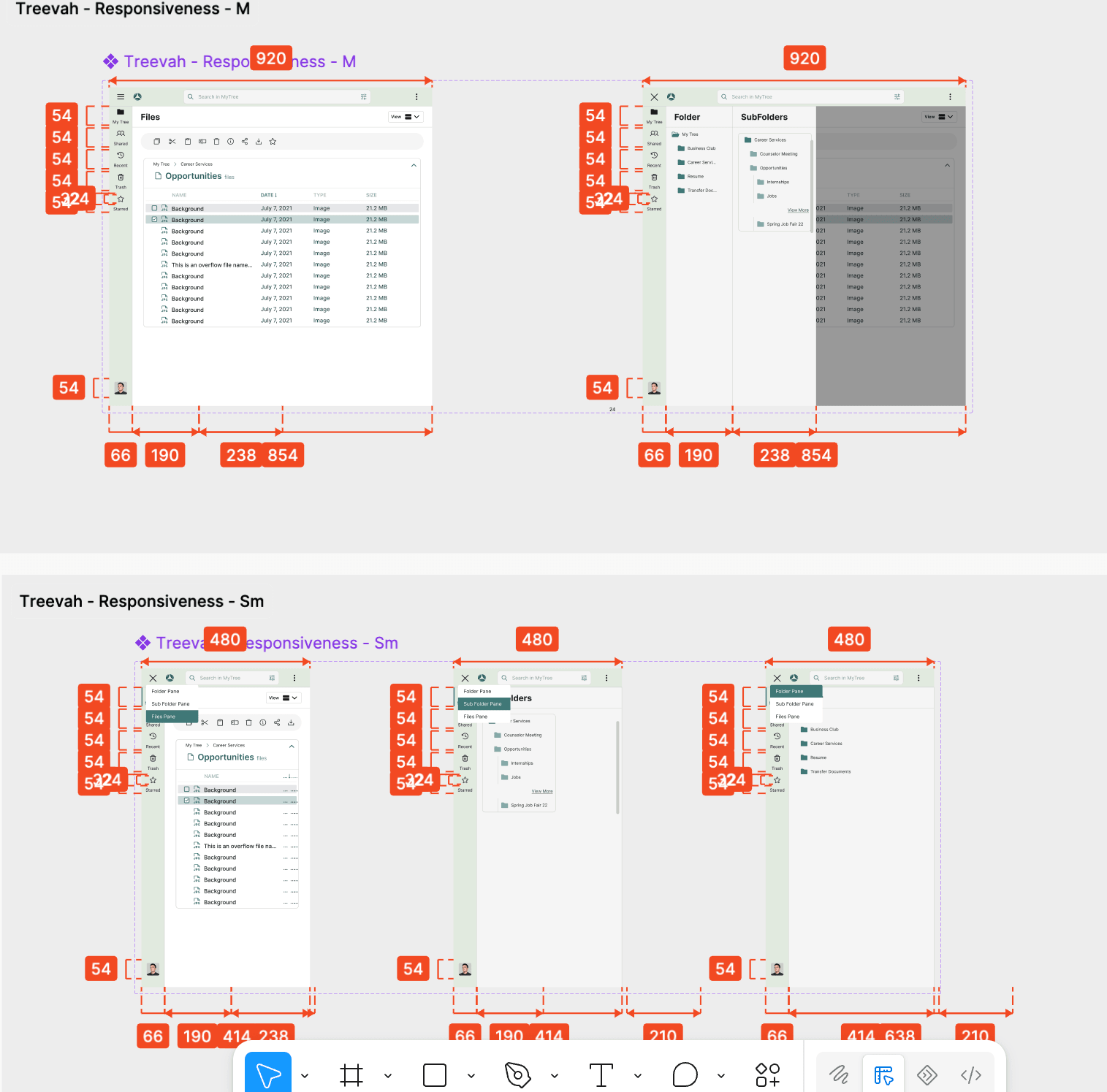
Narrower windows hide panes without changing the user's chosen file view.
An early responsive proposal replaced column view with list view when the Files pane became narrow. I flagged a trap: after the automatic switch, the user couldn't choose column view again until the window grew. The layout would silently overrule their view control.
I proposed keeping the views intact and hiding panels behind a toggle, drawing on Teams and Notion. Kelson built the responsive prototype. We chose click-to-reveal over hover so a passing cursor would not open a panel.
The one- and two-panel layouts returned as narrower states of the three-pane design. Each fold absorbed a pane into a tab row: three panels, then two, then one, with overflow below the minimum width. The file view stayed under the user's control.
Validation
Weekly testing changed the navigation before the alpha shipped.
I co-led the Cloud Alpha testing pipeline with Rudra Barad and Bryan, setting feature order, prototype ownership and a rolling weekly cycle. Across more than fifteen rounds, we compared page-list accordions and tabs, search patterns, the subfolder manage bar and competing download flows. Each round had a stamp-voted analysis board in Figma.
The findings changed my designs. The carousel gave way to tabs, and my stronger early color treatments consistently lost to muted options. Together, those results favored an interface that made fewer demands on people learning a new file model.
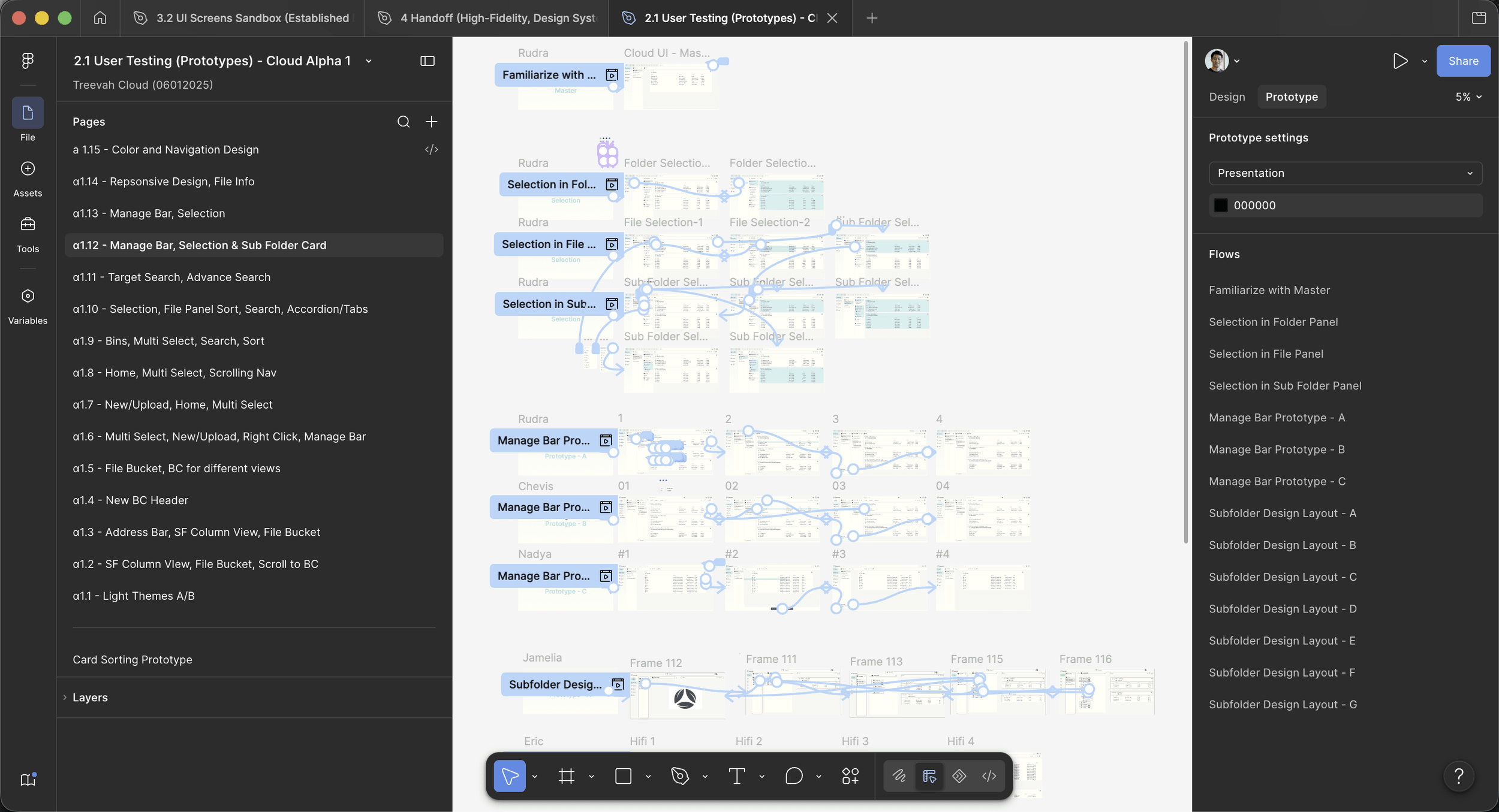
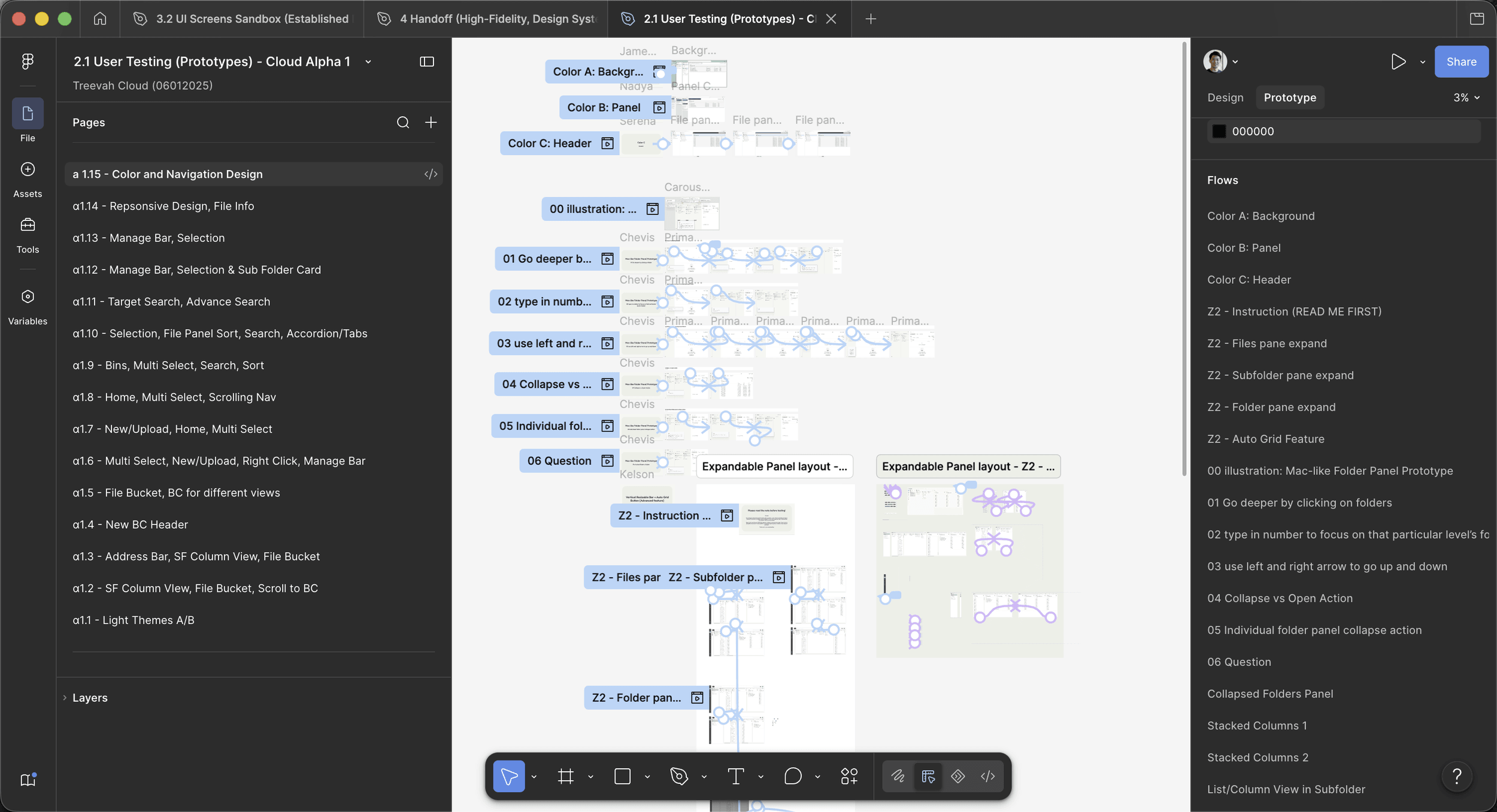
Top: α1.1 through α1.15 down the left rail: light themes, address bar, file bucket, multi-select, search and sort, manage bar, selection, responsiveness, colour and navigation.
Bottom: Inside round α1.15: its numbered flows, one per step of the path participants walked. The path is traced step by step below.
More on ValidationWalk one test round as a user flow2 images · 1 min read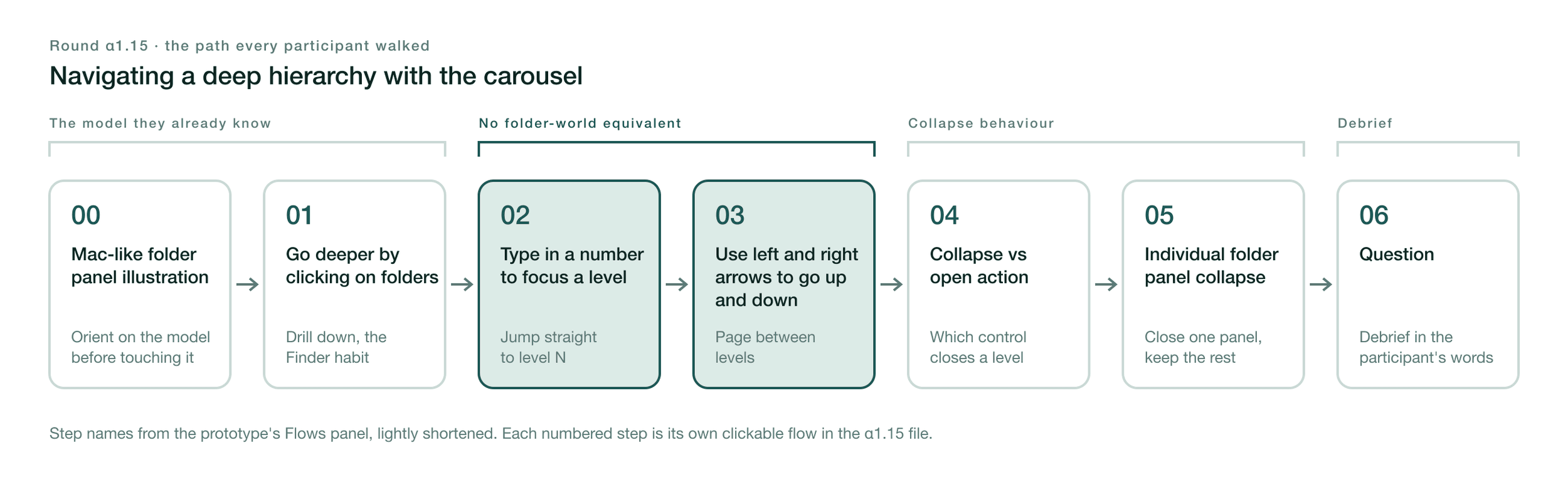
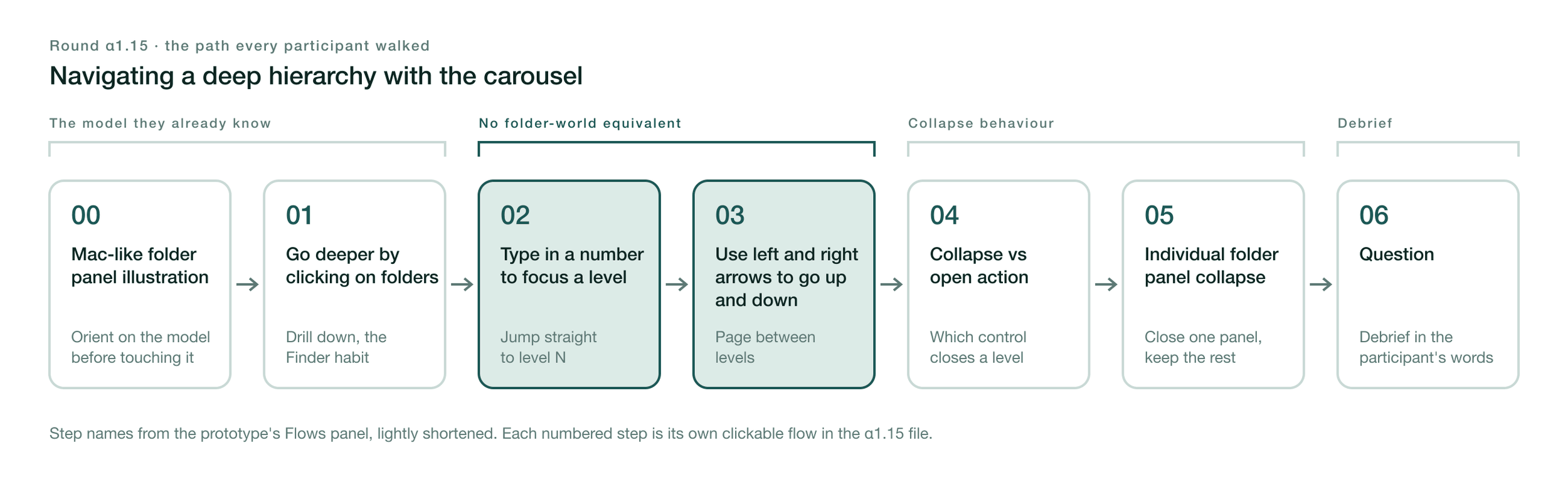
The carousel round, step by step
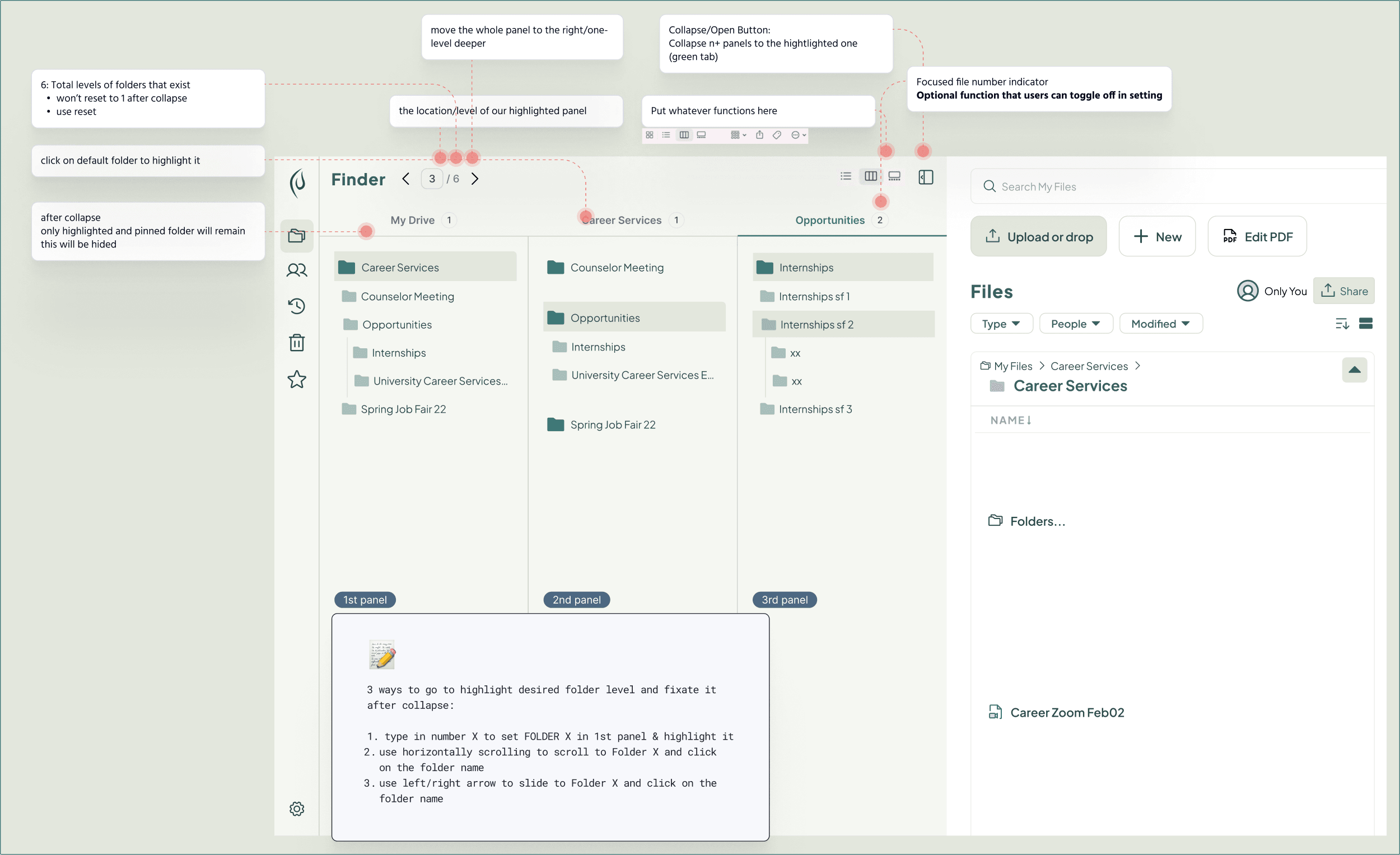
Round α1.15 put the carousel in front of participants as one continuous path through a deep hierarchy, built as seven numbered prototype flows. It opened on familiar ground: an illustration of a Mac-like folder panel, then drilling down by clicking folders, the habit everyone brings from Finder and Google Drive.
Steps two and three were the real test. Typing a number to focus a level and paging between levels with arrows have no equivalent in a folder tree, so those tasks exposed where participants had to learn a new interaction. Steps four and five tested collapse: which control closes a level, and whether one panel can close while the others stay open. The round ended on an open question, so participants described the model in their own words before anyone explained it to them.
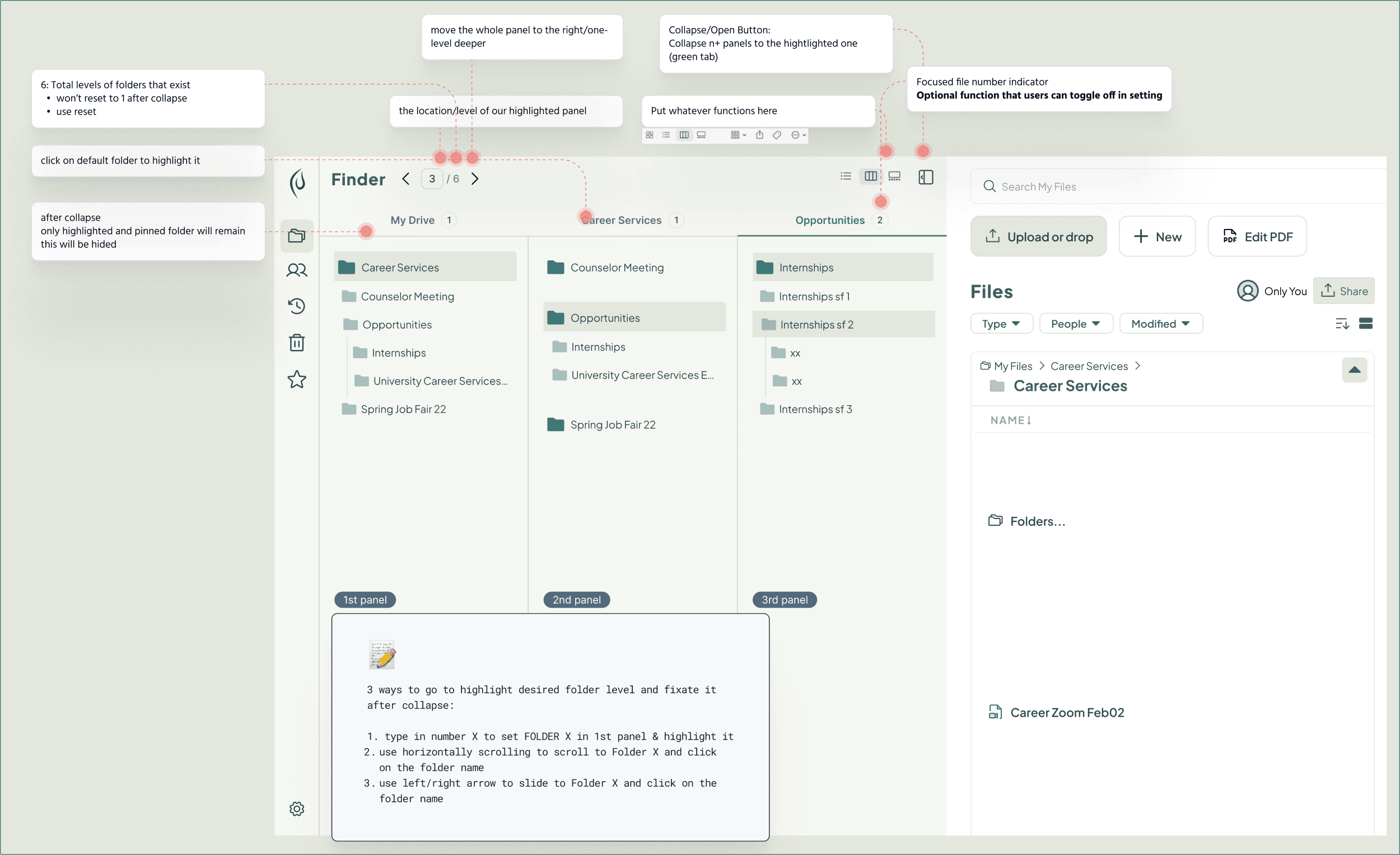
The selection flow, as a set of forks
Selection needed a different kind of flow: not one path but a set of decision points, each with more than one defensible answer. The late-January test script was written as those forks, and participants chose between the branches:
- Selecting a parent folder. Lock everything beneath it as one selection, or leave the children selectable so users can refine?
- Selecting beneath a path that's already selected. Reset the selection automatically, or make the user click off first?
- Selecting every level-two folder under one parent. Should the files come with them? The question was what users expected, not what the data model preferred.
- Moving a file card. Should the hierarchy travel with it, should the card snap back while only its files move, or should moving be limited to files?
The three-tier model in Selection Semantics is what those branches resolved into: containers where users expected the whole hierarchy to move, filters where they wanted to refine, and exact selection at the file.
Two research streams I didn't run also informed the design. Mounica Vijayender's Product Tour survey of forty participants showed how users wanted to be introduced to the product, which I used when designing for learnability. The AI team's thirty-response survey found users preferring rule-based automation over autonomous AI, with concerns about privacy and undo, which supported keeping the file manager's core behavior deterministic.
The Operating Model
Vertical product teams and a shared design-system team, working through one handoff.
Product reviews could settle a flow without settling the screen engineering would build. I proposed making that translation an explicit responsibility of the Design System Team.
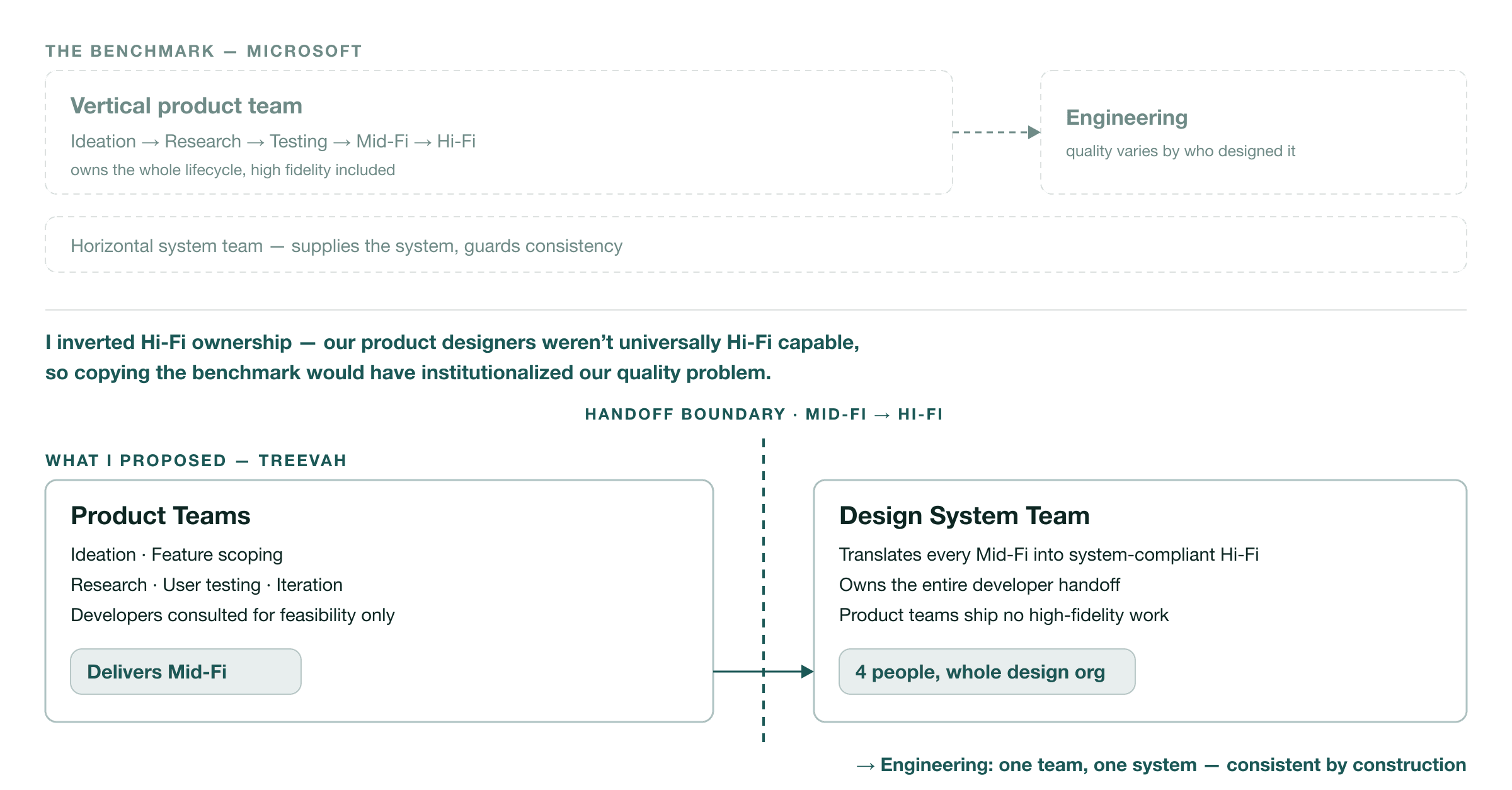
I drew on the vertical/horizontal distinction in a Microsoft operating model I had studied: product teams supported by shared functions. In that benchmark, product teams carried their designs through high fidelity. My adaptation placed that work with Treevah's shared team.
Product designers kept ownership of scoping, research, testing and iteration, delivering approved mid-fidelity flows. My team turned those flows into system-compliant high fidelity and handled developer handoff. Bryan approved the proposal and asked me to lead the four-person team.
The change showed up in cycle time. Before it, a feature took about three weeks to move from ideation and research through mid-fidelity design, user testing and high fidelity to developer handoff. With the Design System Team owning high fidelity and handoff, the same cycle took about two weeks. A small feature with light research and testing could get through in one.
Making the model work meant getting product designers, the system team and developers to agree on what belonged at each stage. A design's location and readiness needed to mean the same thing to all three groups.
Brand tests had a separate requirement: color and typography alternatives went onto one master mockup before comparison, so differences in layout construction wouldn't bias the choice.
Figma Governance
Separate homes for screens and prototypes made the handoff explicit.
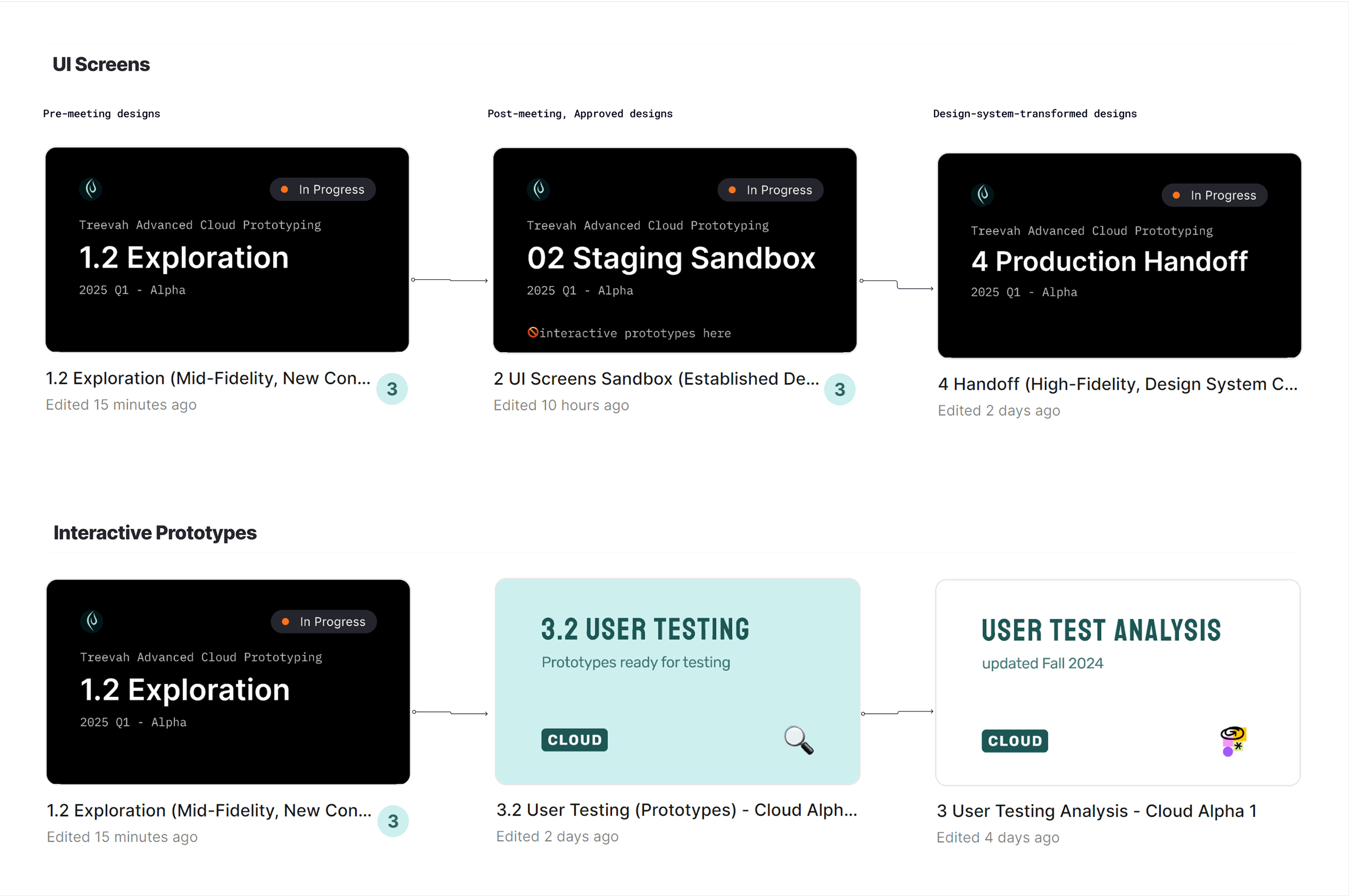
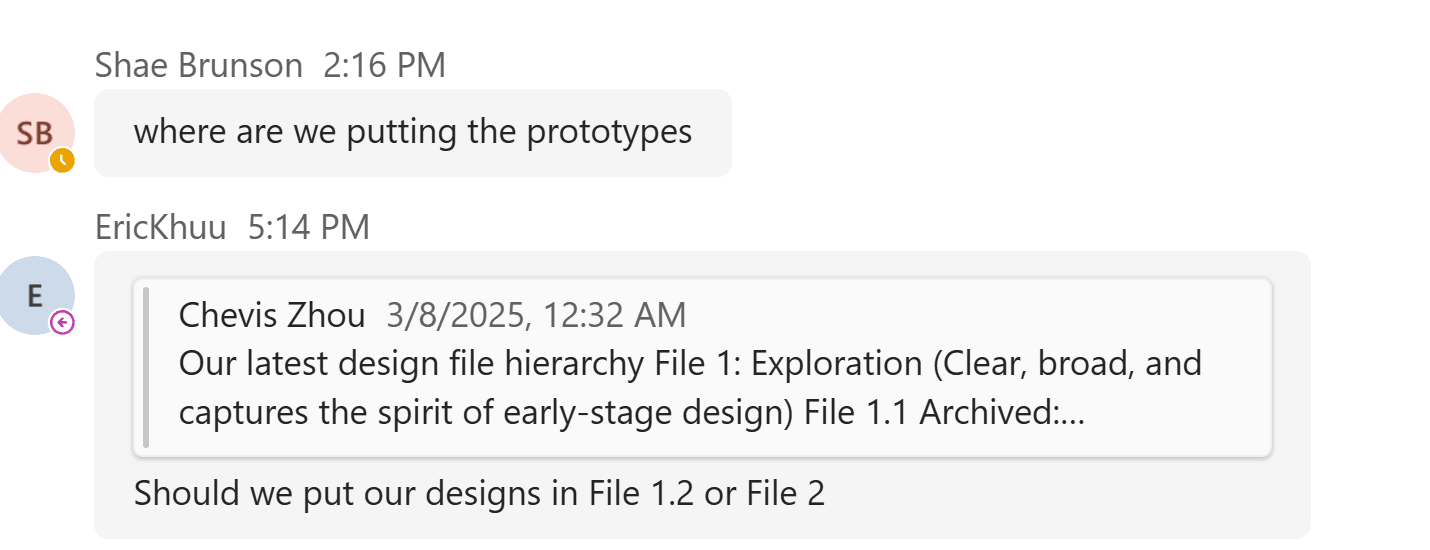
I organized Figma around two paths. Screens moved from Exploration to approved designs in Sandbox, then into the system-compliant Handoff file my team prepared for engineering. Prototypes moved from Exploration into User Testing and analysis, owned by product teams and researchers.
That separation answered two everyday questions: where should I put this work, and is it ready to build? On May 1, 2025, I published "[Shared] Navigating Treevah's Figma DesignOps — A Guide for All Teams," including how to find information across the files.
More on Figma GovernanceInspect the file conventions and handoff templates3 images · 1 min read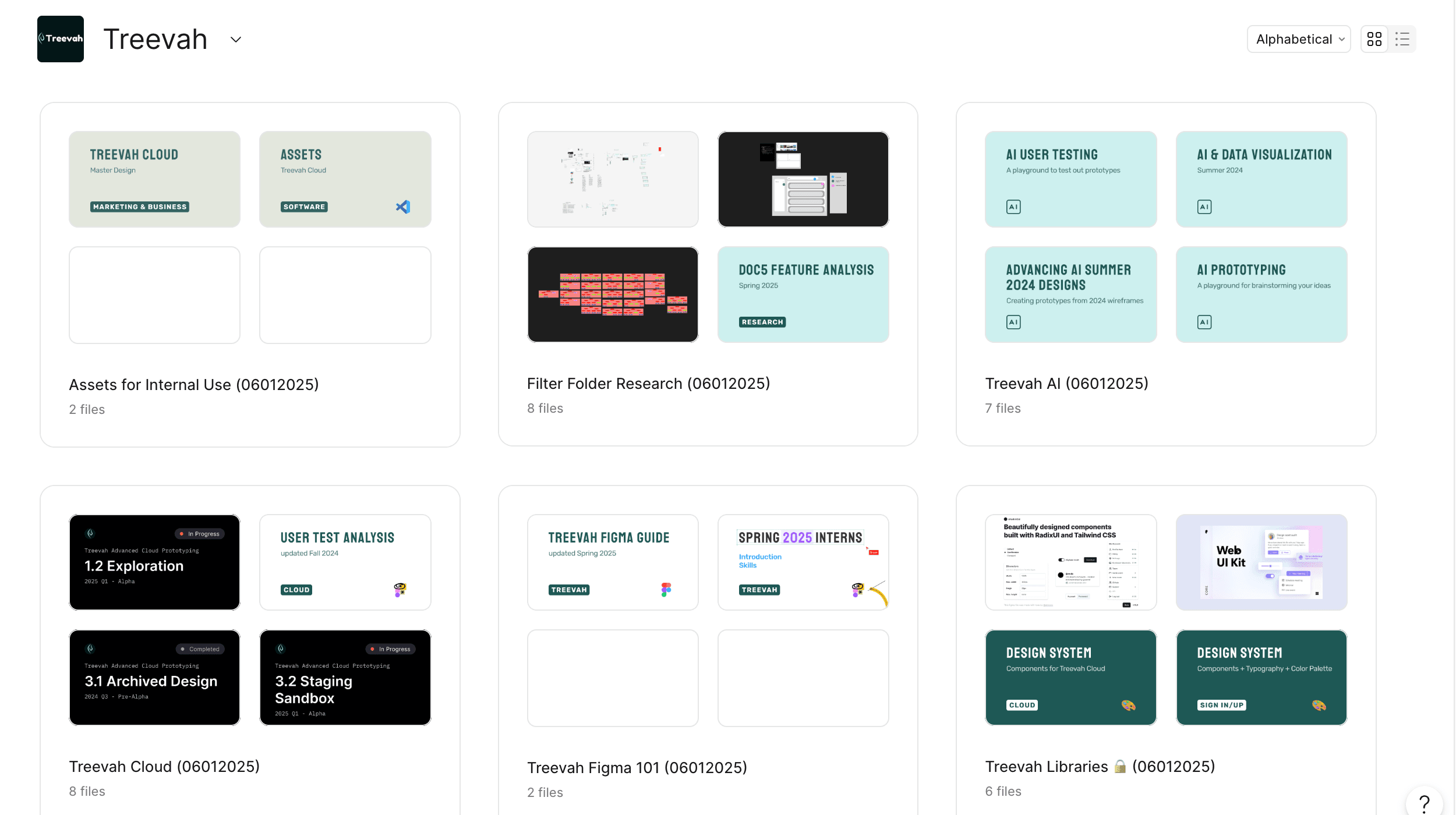
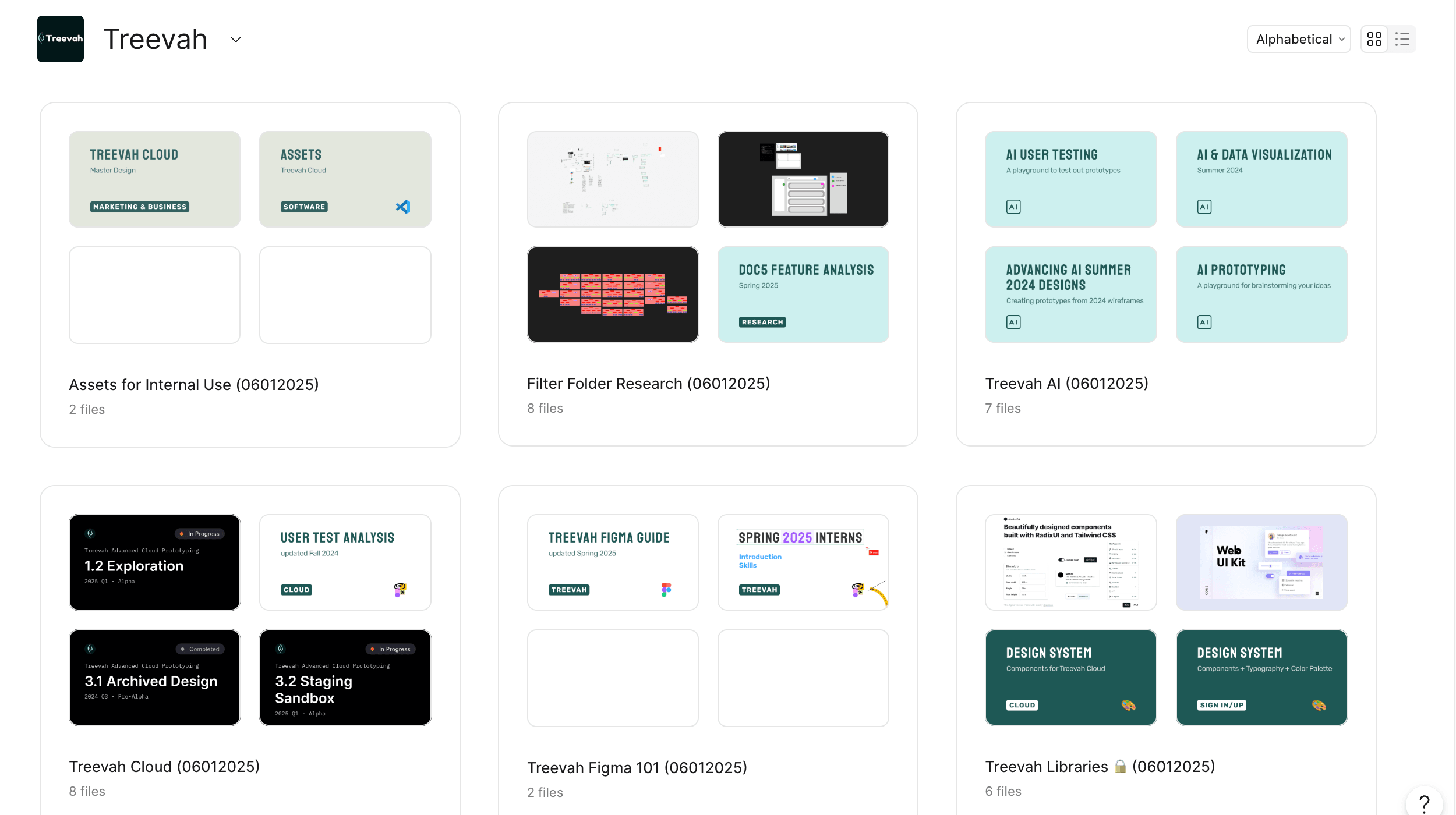
Versioning followed one convention: "1.1 → 1.2" means the same purpose in a fresh file, usually because the old one had become too heavy. Projects and pages were organized by function rather than by owner, so finding a design never required knowing who made it.
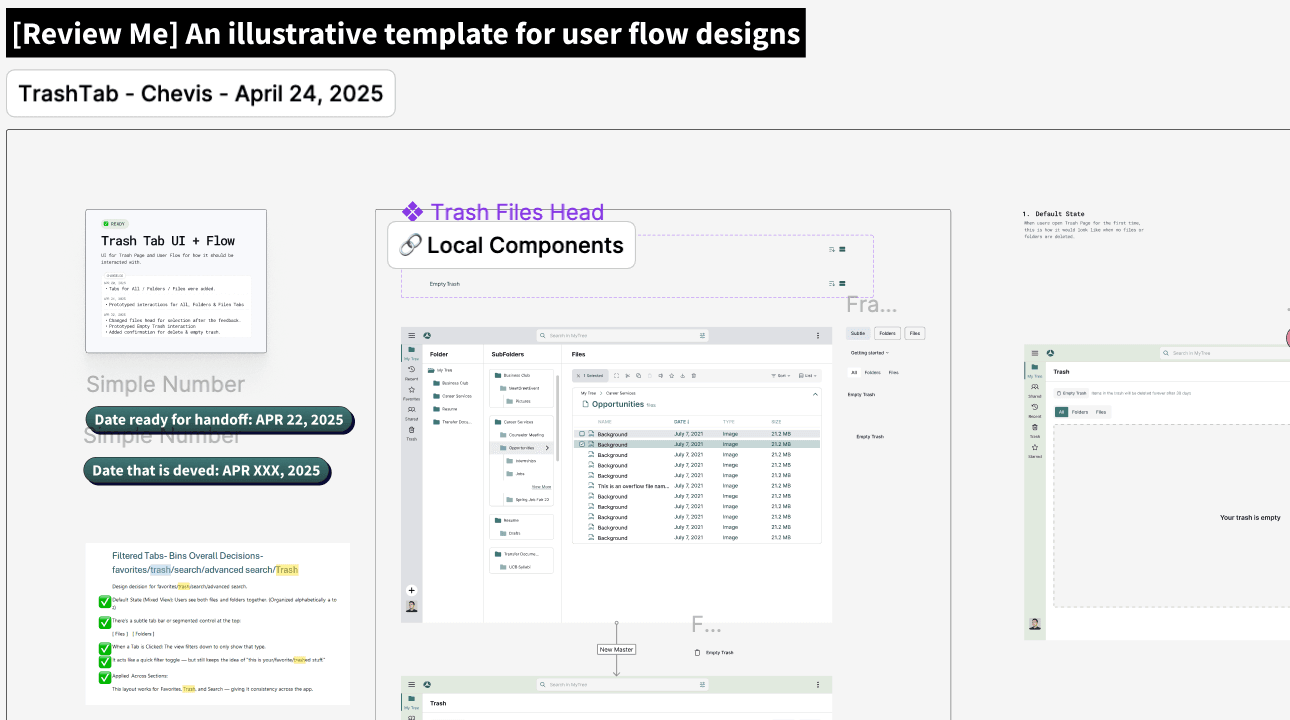
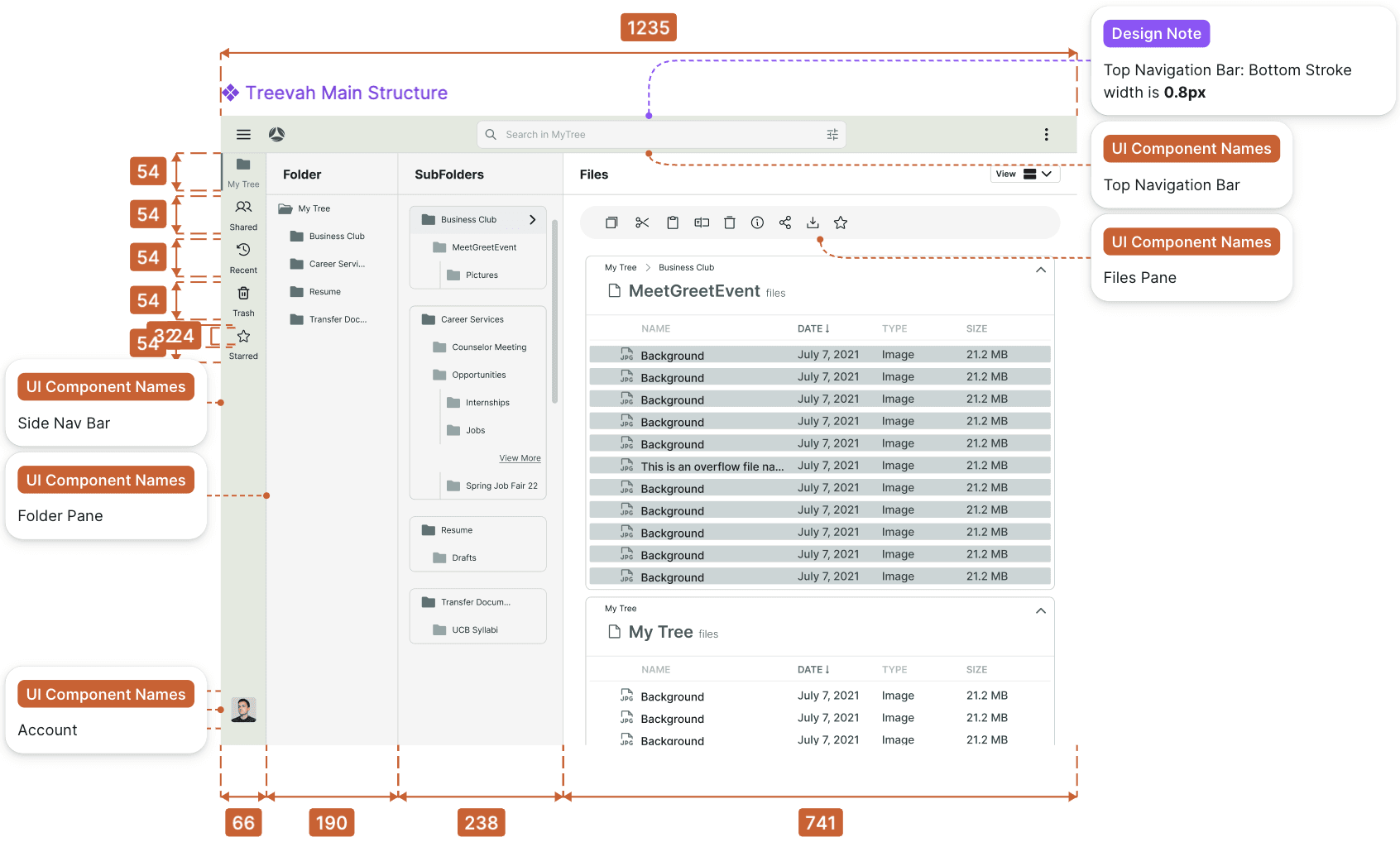
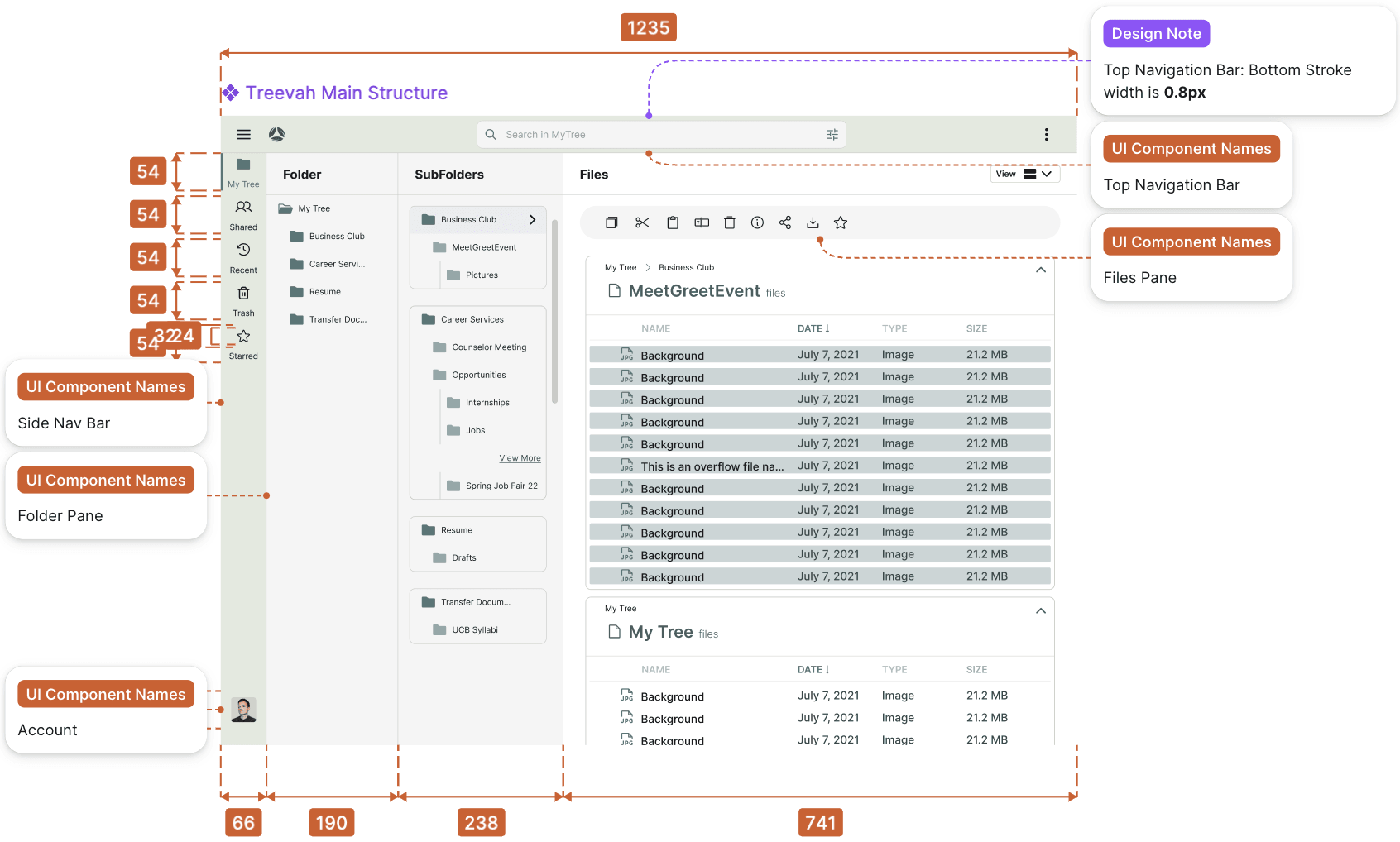
The user-flow template was a COPY ME file with numbered steps and slots for the date a flow was ready for handoff and the date it was built. Handoff specs were annotated down to pane widths and stroke weights.
![The user-flow template file, headed '[Review Me] An illustrative template for user flow designs' and labelled 'TrashTab - Chevis - April 24, 2025', with two filled slots reading 'Date ready for handoff: APR 22, 2025' and 'Date that is deved: APR XXX, 2025' above a checklist of flow decisions.](/_next/image?url=%2Fimages%2Ftreevah%2Fuserflow-handoff-template.png&w=3840&q=90)
The System
A new AI team built on the system without my involvement.
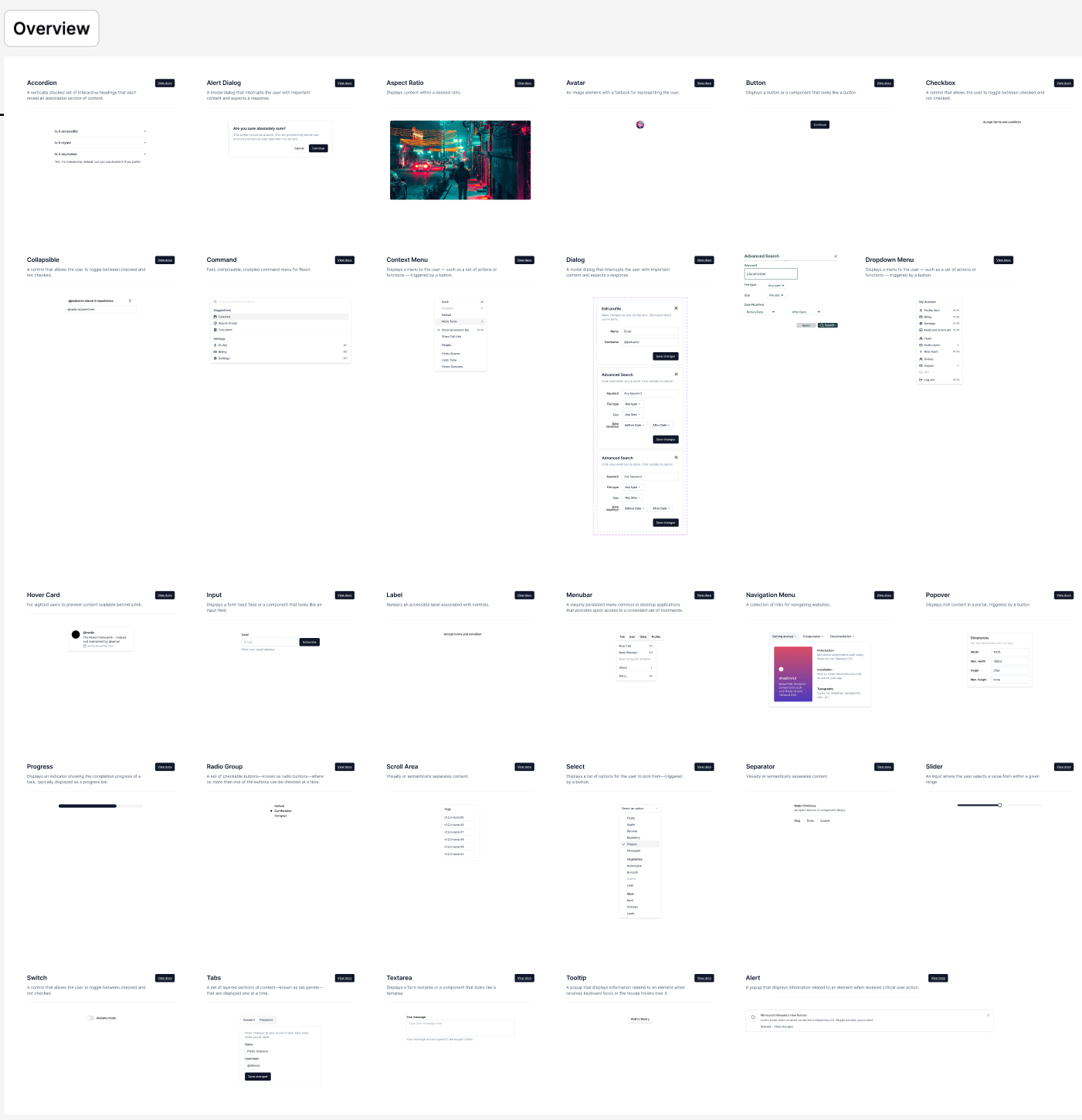
The Handoff screens drew from two libraries. Atomic components covered primitives, empty states and icons. Complex components assembled those parts into sidebars, folder panes and the file panel.
I initiated the tokenization strategy, using semantic styles instead of raw values, and built the library with Kelson and Rudra. Type ran from Display 2xl→xs and Text xl→xs; color names described roles such as File Select, Container and Base. Engineering adopted more than eighty components.
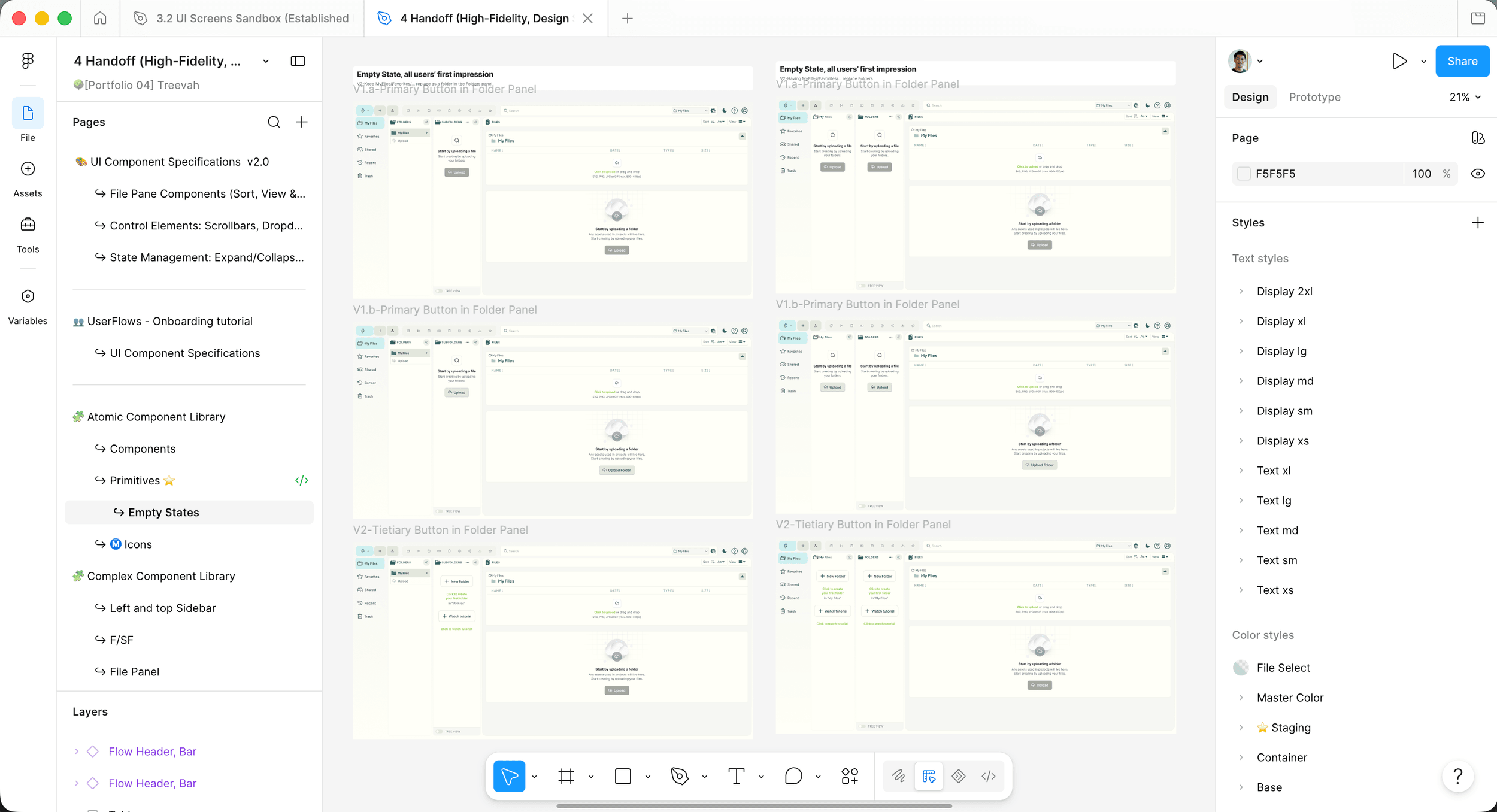
A new AI team later used the same Figma structure, master components and testing pipeline for work I wasn't involved in. When Rafael and Rudra encountered component-interaction problems, they resolved them within the system. The operating model could support a new workstream without requiring me to direct it.
Outcome
The alpha shipped, and the design operation outlasted my direct involvement.
The April 2025 Cloud Alpha shipped with the tabbed three-pane navigation, pane-specific selection rules and responsive behavior, built from the Handoff file and system components. The shared handoff took about a week out of each feature cycle.
The file hierarchy was entering everyday team use before release. By early March, teammates were quoting it to each other when deciding where designs and prototypes belonged.
The beta launched after I left in June 2025. Per Treevah's post-launch data, the redesigned experience drove an 8% increase in adoption, a double-digit NPS improvement and 23% less friction in key flows. I did not measure those outcomes; they describe the product this work helped shape.
Closer to the work itself, Kelson once asked how long a batch of screens had taken. About five hours, I told him, because the design system was already there. His reply:
Testimonial“more like 5 hours of designing, 20 hours of thinking~”
Kelson LiuDesign System Team, Treevah
Testimonial“He didn't just design screens — he took full responsibility for building a design system from the ground up. He introduced tokenization, cleaned up inconsistencies, and created a scalable foundation that other designers could easily plug into… He improved design processes, created structure where there was none, and made a measurable impact on the team's overall workflow and collaboration.”
Bryan MulcroneFounder & CEO, Treevah
Key Takeaways
The carousel taught me to separate a useful property from the design that first delivered it. More room for file names was worth keeping; the paging model was not. Testing and teammates' objections helped us carry the advantage into tabs.
The operating model followed the same logic. Microsoft's structure gave me a starting distinction, but Treevah needed its shared team to own high fidelity and handoff. The most useful evidence of that choice was other people using the structure on work I didn't lead.