Most comparisons of AI coding tools stop at impressions: Cursor feels faster for visual edits, Claude Code feels stronger on large changes. Both observations match my experience, and neither explains anything. The useful question is why, and when I compared the two in July 2026 while building this site, it came down to one thing: when you point at something on screen, how does the tool work out where it lives in your code?
Two ways to find a button
Selecting an element in Cursor's in-editor browser took me straight to the source that rendered it. There was no search step I could see; the edit started already anchored to the component and its file, and because the tool could see the code around it, the change tended to respect the classes and conventions already there.
Point Claude Code at the same element, through a screenshot or a pasted chunk of markup, and it has to work backwards. It sees rendered output, not a map back to source, so it searches the repository for distinctive class names, matches text, narrows the candidates and picks one. It usually picks correctly. But every search costs time and tokens, and I still had to confirm it found the right file.
That's the whole gap. Not model quality, not context windows: plumbing. One tool had a wire from pixel to source line; the other rebuilt the wire on every request.
The division of labor that falls out
Once the mechanics are visible, the workflow mostly assigns itself.
Pixel work goes down the direct path. Padding, color, layout nudges and single-component styling belong where the element is already resolved. Asking a terminal agent to search for it is paying to solve a solved problem.
Structural work goes to the agent. Multi-file refactors, a new content pipeline, test-and-fix loops and anything governed by a project's written conventions. A direct mapping is worth little here, because the work isn't anchored to one visible element. What matters is sustained reasoning across files, and an agent that can read logs, run builds and check its own work does that better than an inline edit.
The failure modes are symmetric. Use the agent for pixel-pushing and you burn tokens searching the repository to change one class. Use inline edits for architecture and you get changes that make sense locally and don't hold together across files.
None of this stays settled for long. My dock grows one AI app at a time, and each arrival asks me to relearn where things live before it saves me anything. The question of how a tool resolves what I point at is the one I now ask first.

If the gap is plumbing, build plumbing
The direct path isn't fixed; it is instrumentation, and you can add your own. Media on this site sits several layers from what a visitor sees. next/image serves rewritten URLs, the copy lives in MDX, and the files live under public/. Replacing one image used to take a conversation: I described the picture, the agent searched for the file and the tag that placed it, and I checked its answer.
So I had Claude Code build the lookup into the development server once. On localhost, right-clicking an image opens a menu that already knows its source file and the MDX tag that places it:
- Reveal or open the real file.
- Replace it with a local file. The new file's type is checked from its bytes, and MDX references are rewritten when the name changes.
- Copy its relative or absolute path.
- Set rounded corners, fill type and fill position, which write props on the tag.
- Edit a caption, or the headline and lede in a study's frontmatter.
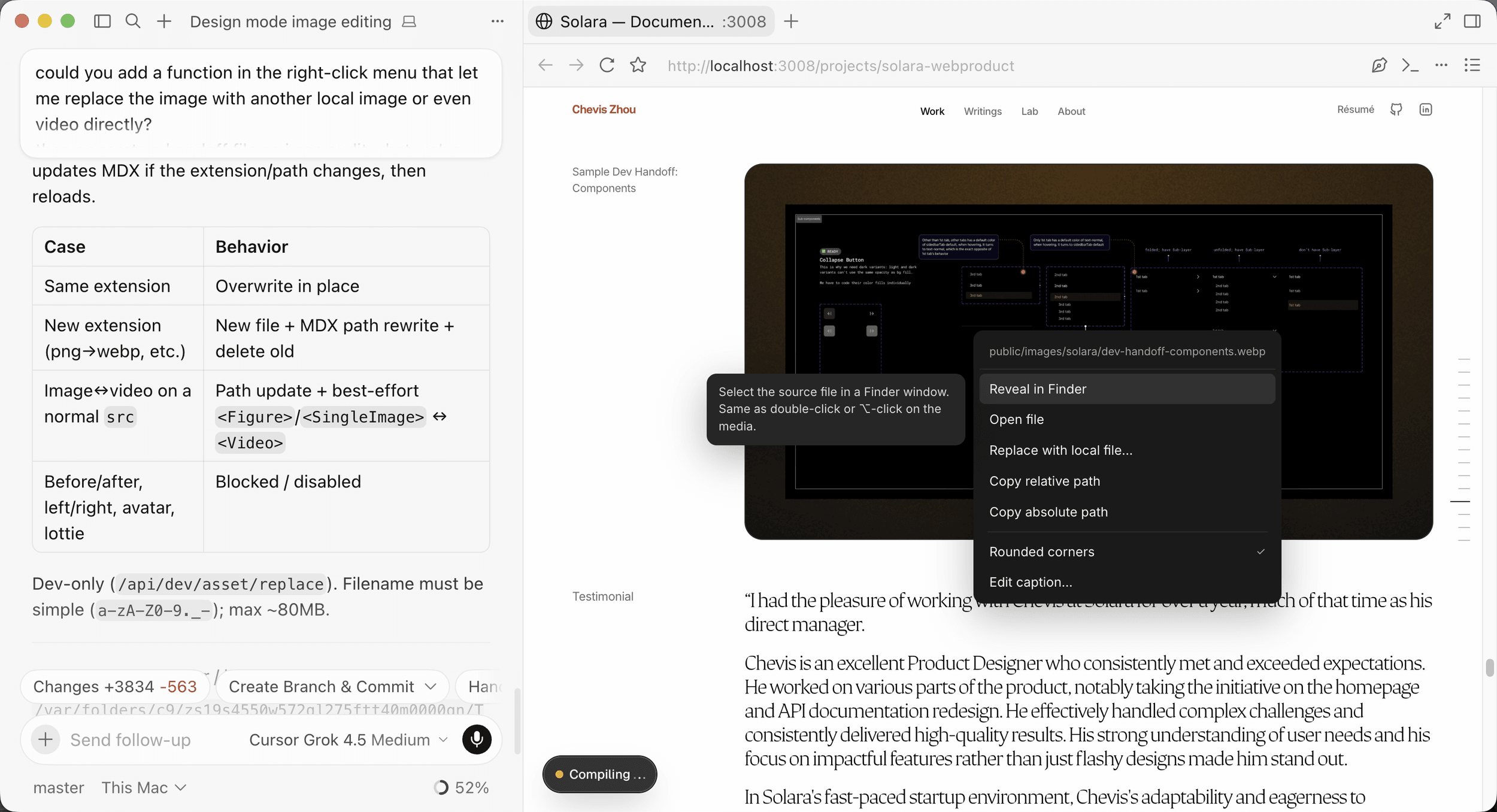
Every action is a deterministic write limited to an allowlist of props and fields, and no model runs when I use the menu. The menu exists only in development: its routes return 404 in production and reject cross-origin requests, so the ability to write files never reaches a deployed page.
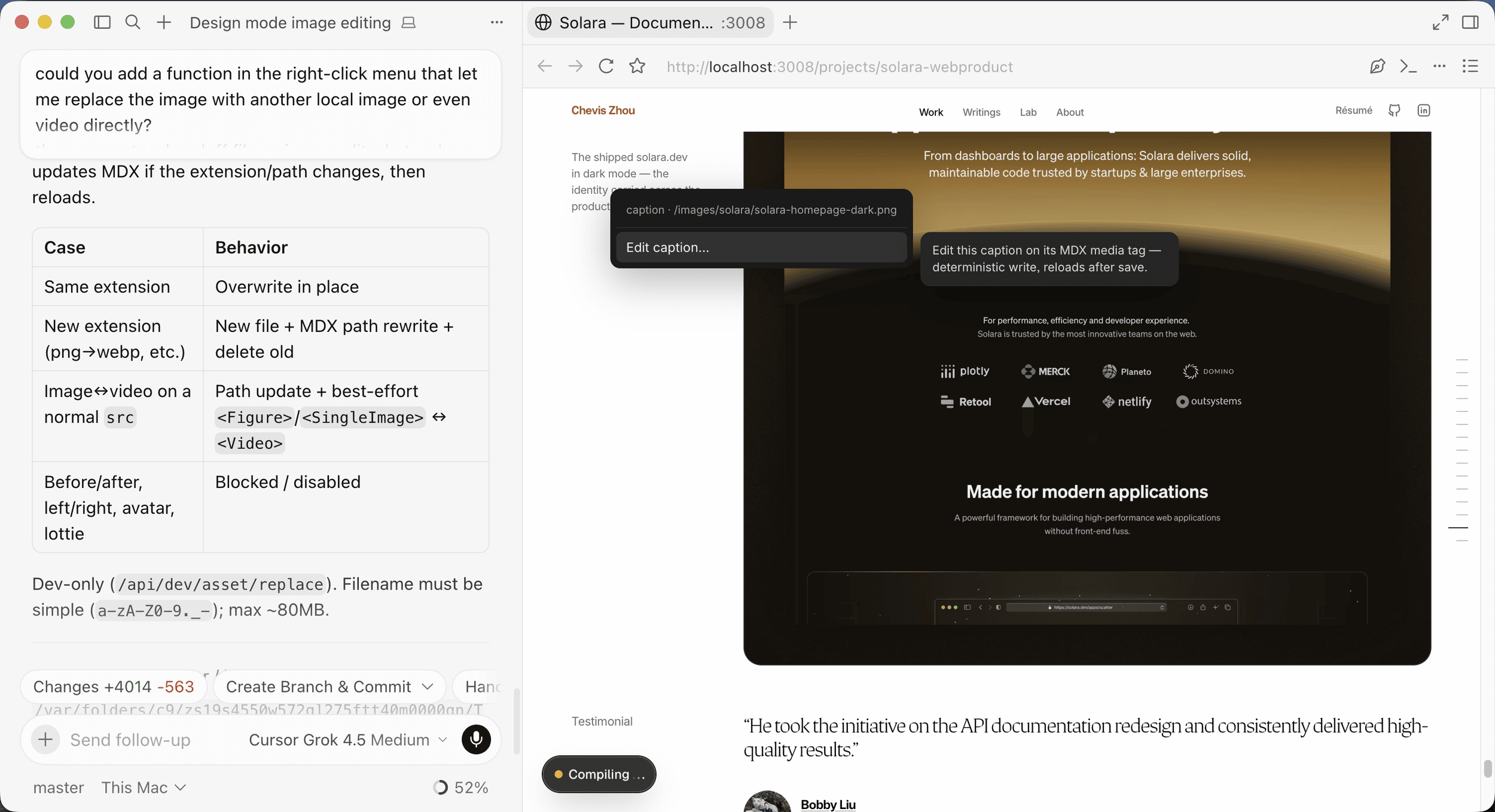
The division of labor still holds; the menu moves work across it. The agent built the instrumentation once, and after that every image swap and caption fix takes the direct path instead of an inference cycle. That's the part I care about: not choosing between the tools, but using one to widen the other's fast lane.
The repository is the shared truth
The two tools never share memory. Cursor's state and a Claude Code session meet only in the file system and git. That sounds like a limitation, and in practice it is the safety model: the repository stays the single source of truth, and everything either tool did is reviewable in one diff. I keep the agent in the editor's terminal for the same reason, so its changes arrive next to the source-control panel where I review them.
"Which AI tool is better?" turned out to be the wrong question. One is an instrumented editor that already knows where things are; the other is an agent that can work anything out but has to search for it. Match the task to how the tool finds the code, direct for the visible and searched for the structural, and the tools stop competing and start compounding.